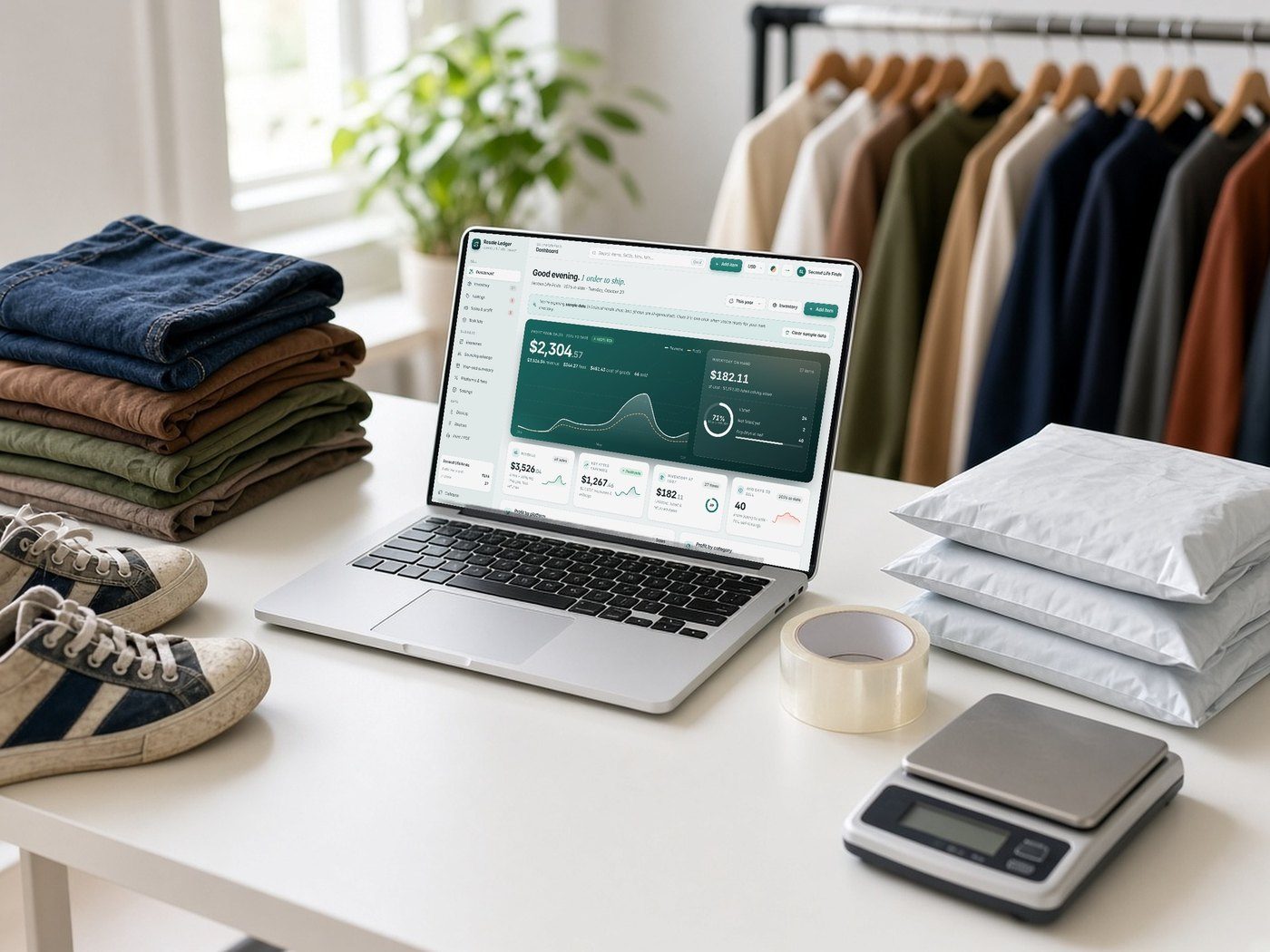
Lifestyle scenes are AI-generated. App screens are real, with fictional sample data.
Deduction Desk
Business · Offline web app
Tax Deduction & Mileage Tracker
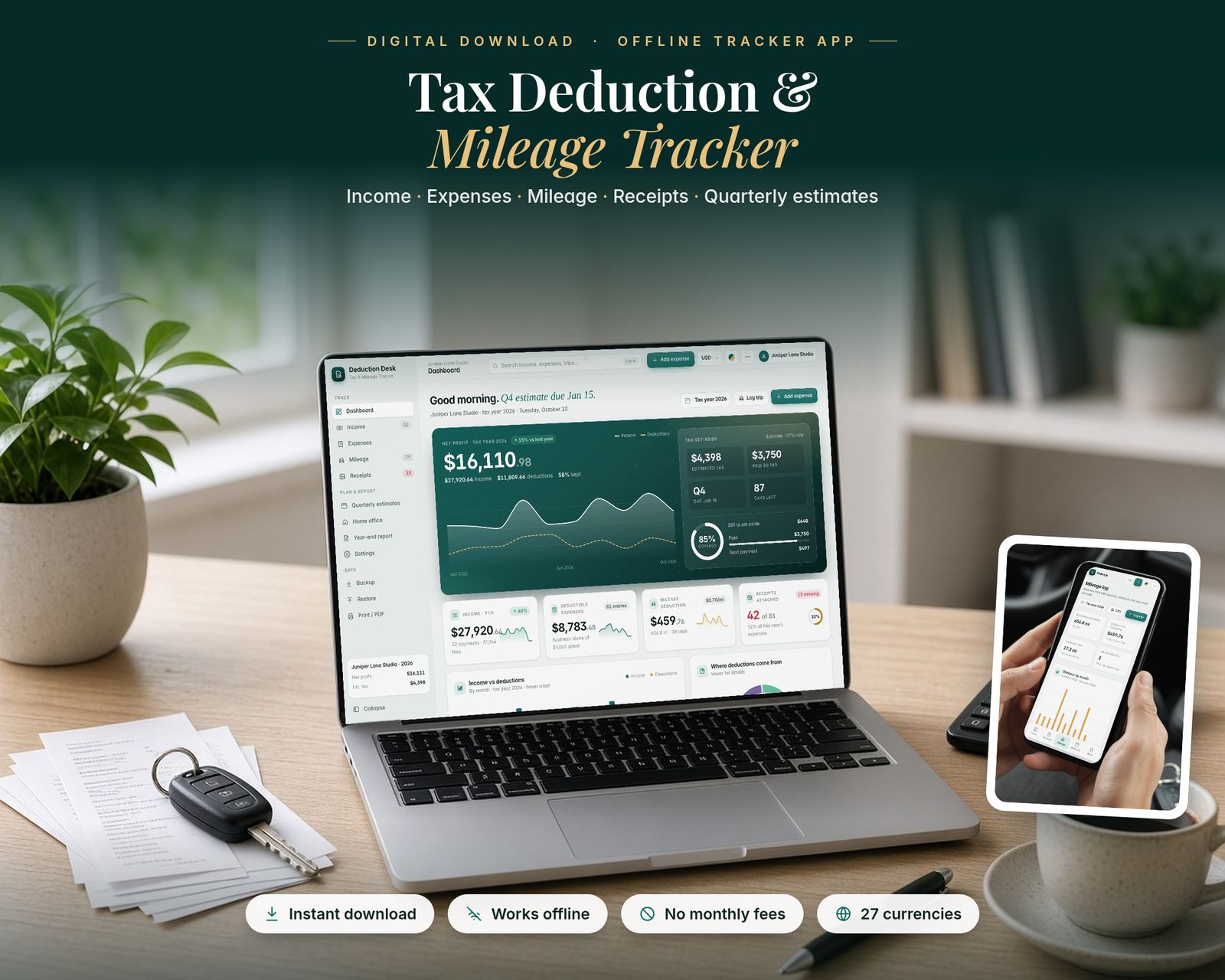
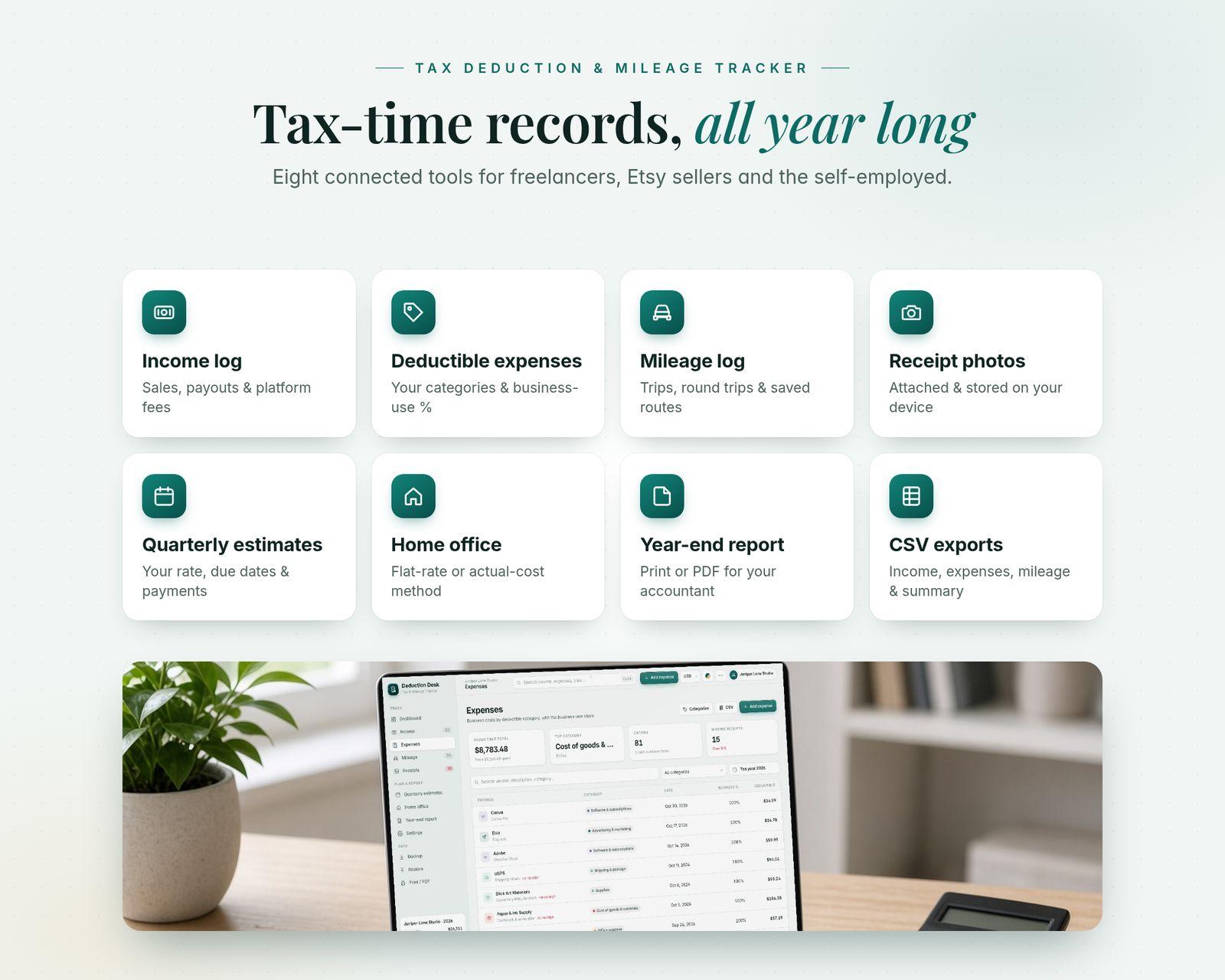
Keep your self-employed tax records organised all year in one offline app: income, deductible expenses, mileage, receipt photos, quarterly estimates, home office and a year-end summary for your accountant.
$24.99One-time purchase · no subscription
Instant download
Right after payment
Works offline
After the first visit
No subscription
Pay once
Private
Stays on your device
Includes the hosted web app, a downloadable offline copy (Tax-Deduction-Mileage-Tracker.html), the Quick-Start Guide (PDF) and a personal license.
What it is
Deduction Desk is a Tax Deduction & Mileage Tracker that runs in your web browser. It's made for freelancers, 1099 contractors, Etsy and online sellers, crafters, creatives and side-hustlers. It's a single file: it works offline, updates every total instantly and saves your work automatically.
15-second tour
See it in action.
Recorded from the real app with sample data. No sound.
Inside the app
Everything it does, in detail.
Every feature listed here is in the app today.
01 · DASHBOARD
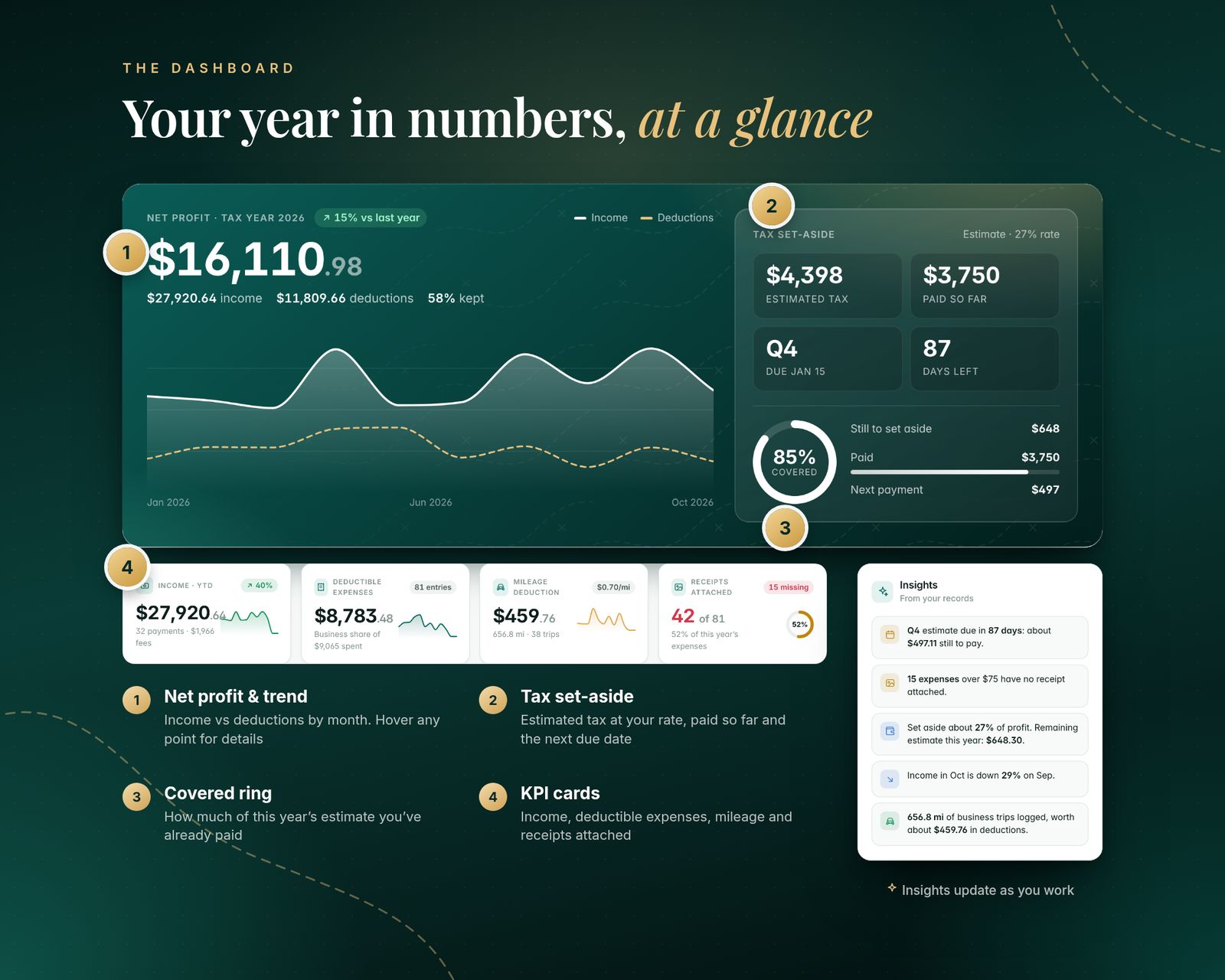
- Net profit for the tax year, with an income vs deductions trend chart (hover for details)
- Tax set-aside panel: estimated tax at YOUR rate, paid so far, next due date and days left
- KPI cards: income, deductible expenses, mileage deduction and receipts attached
- Monthly income vs deductions bars, a "where deductions come from" donut and income by source
- Insights: upcoming estimates, expenses missing receipts and month-on-month changes
02 · INCOME
- Log payouts and client payments with source/platform, client, method and notes
- Record the fees platforms keep (Etsy, PayPal, Stripe…) so gross, fees and net are all clear
- Ranked income sources and monthly trend; search and filter
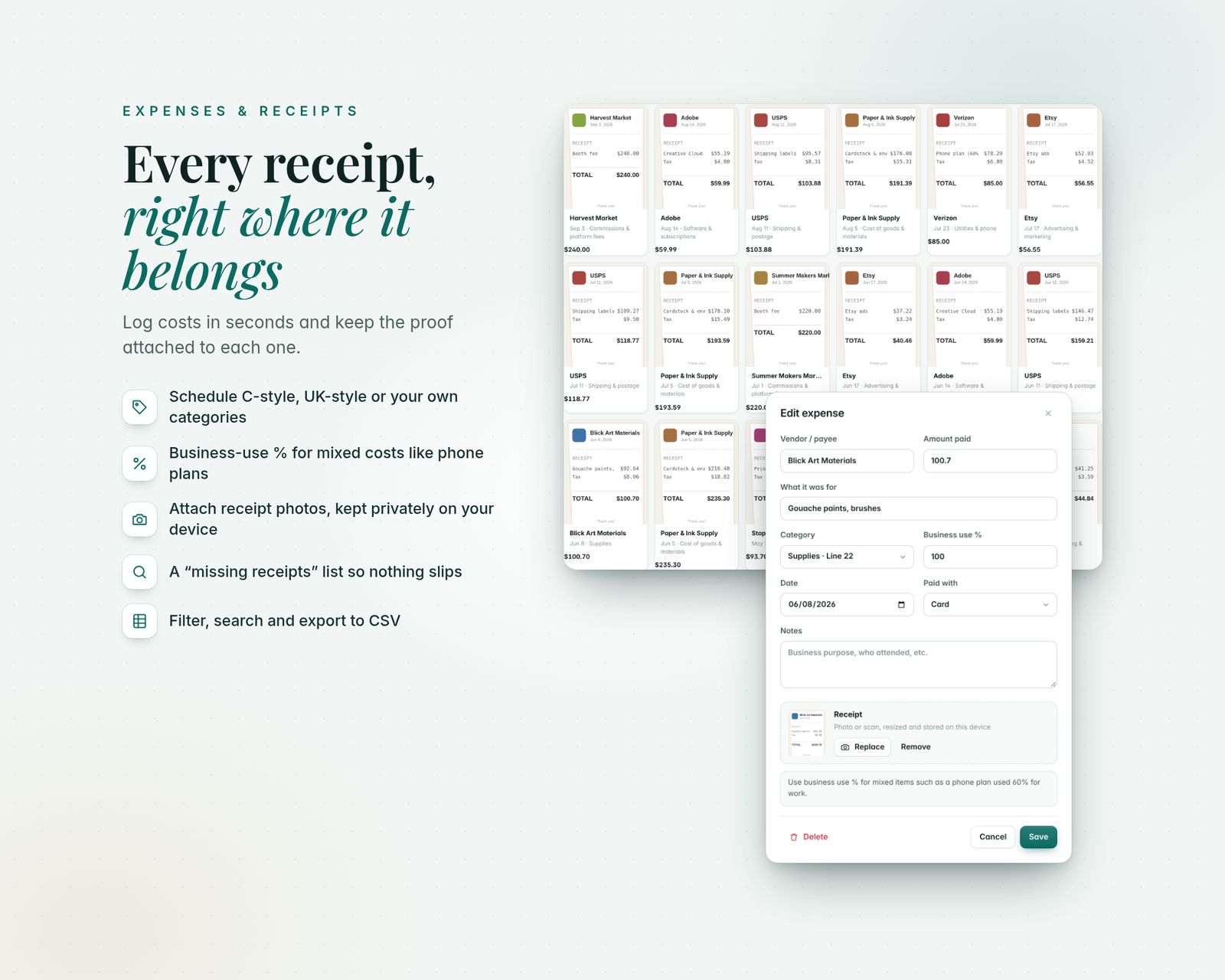
03 · EXPENSES & RECEIPTS
- Expense categories you can rename, add, switch deductible on/off and label with a reference
- Presets: United States (Schedule C-style categories with line references as a guide), United Kingdom (self-assessment-style) or Other country (generic)
- Business-use % for mixed items, e.g. a phone plan used 60% for work
- Attach a photo or scan of each receipt, stored privately on your device, and view it in a receipt gallery
- "Missing receipts" list for deductible expenses over an amount you choose
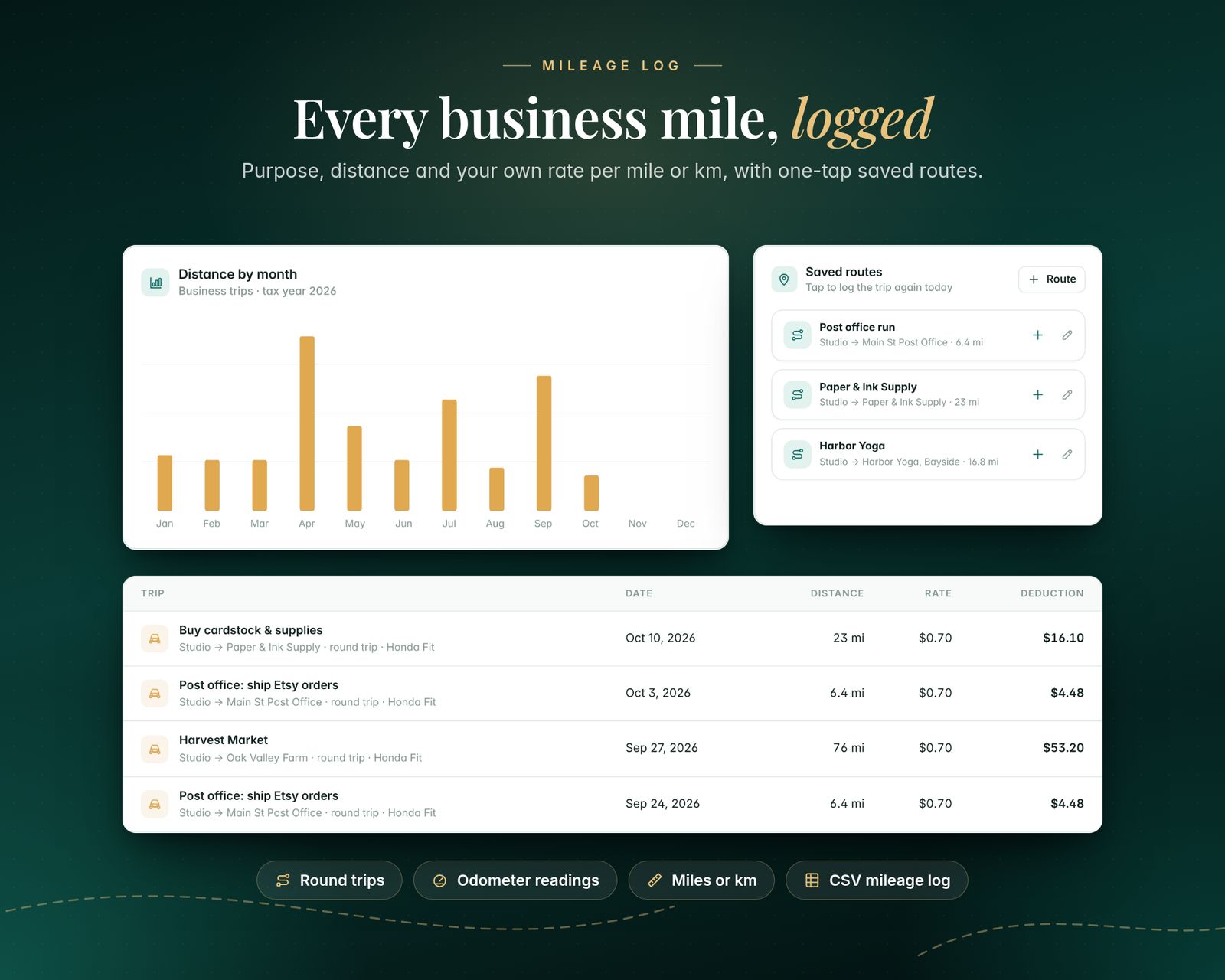
04 · MILEAGE LOG
- Trips with date, business purpose, from/to, distance or odometer readings, vehicle and notes
- Round-trip option, personal trips kept separate, miles or kilometres
- Saved routes: log a regular trip again in one tap
- Uses YOUR rate per mile/km (set it to the rate you're allowed to claim), with per-trip overrides
- Monthly distance chart and a full mileage log CSV
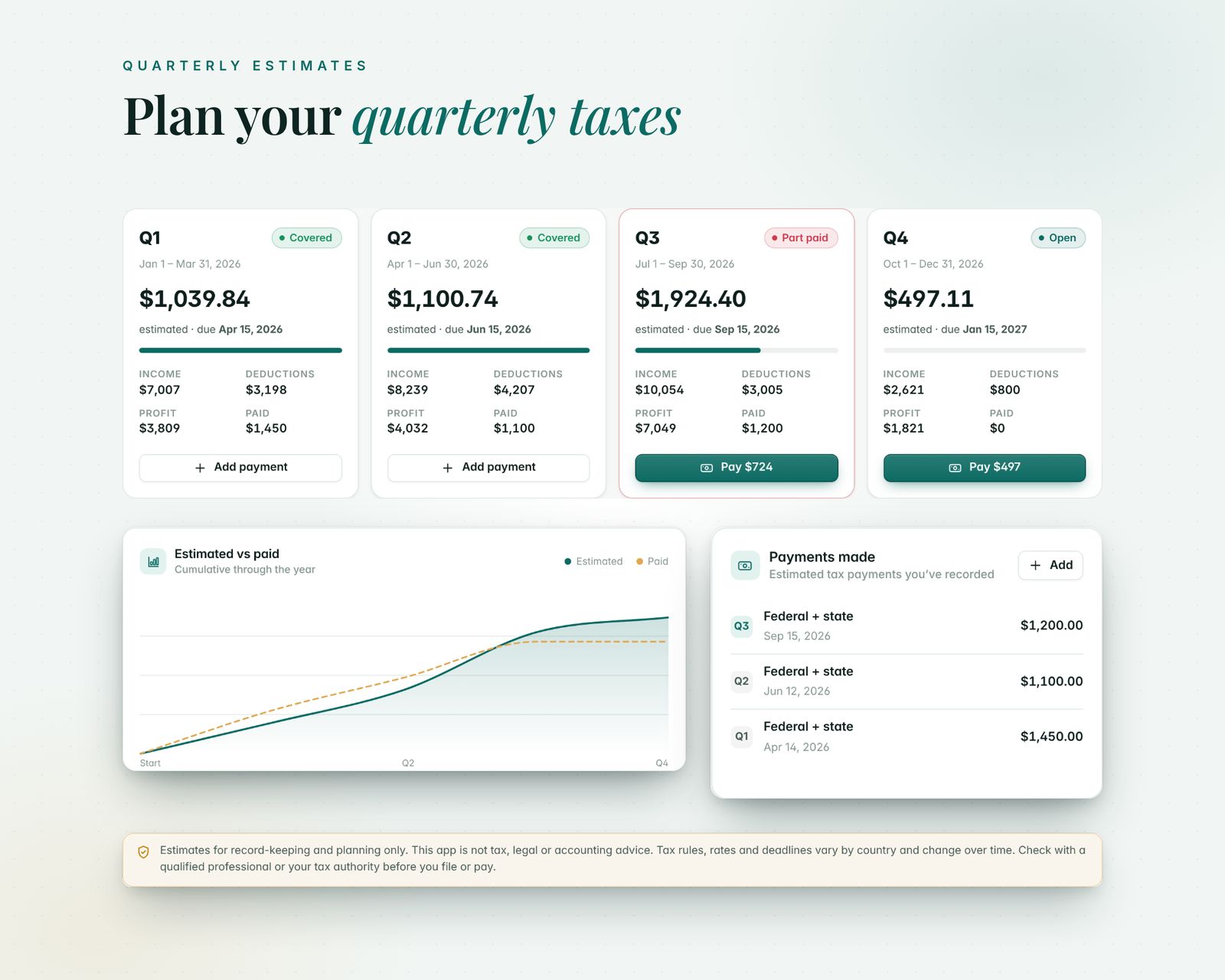
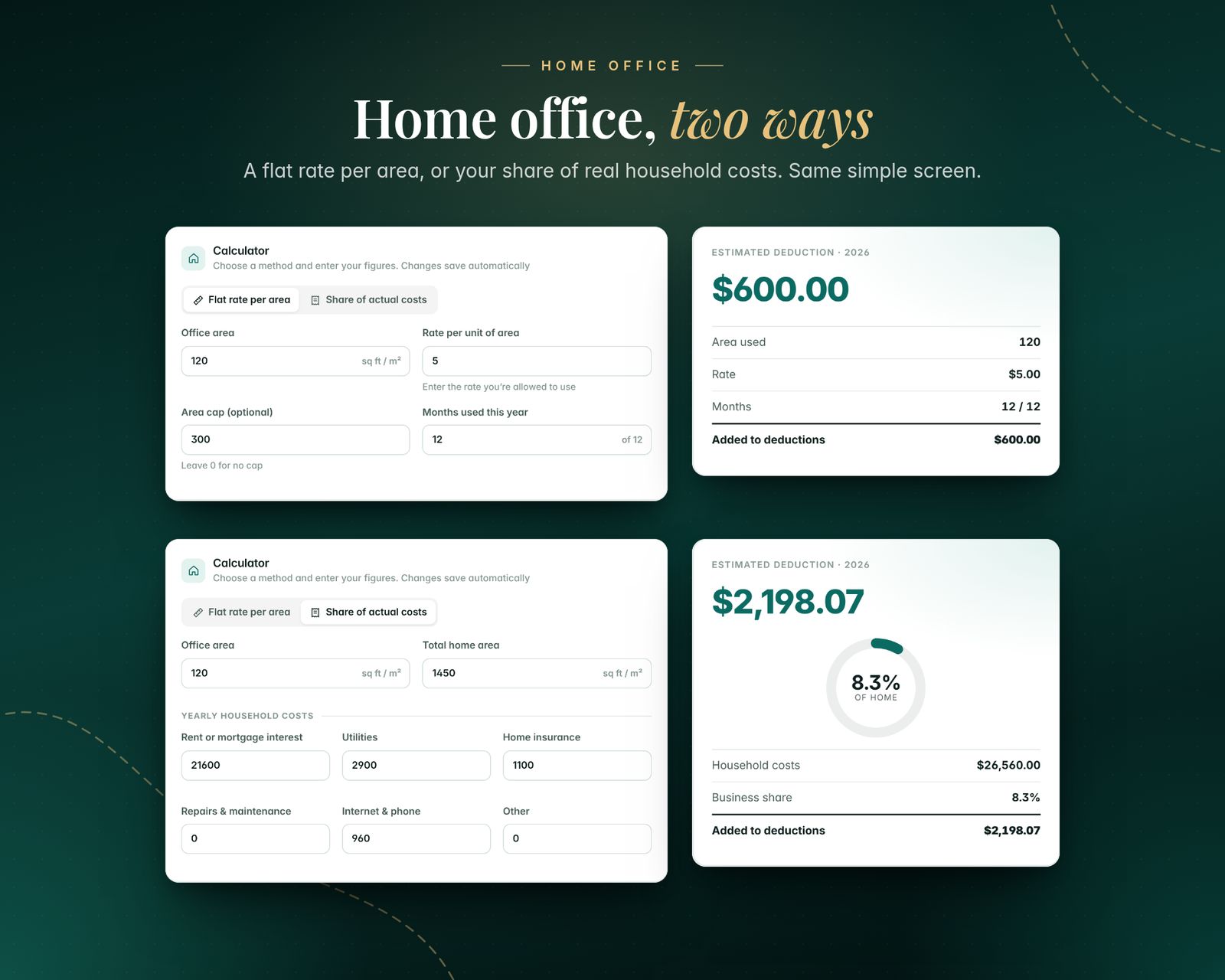
05 · QUARTERLY ESTIMATES & HOME OFFICE
- Four 3-month periods from your tax-year start, each with income, deductions, profit and an estimate at your combined rate
- Editable due dates, payments you've made, and Covered / Part paid / Past due status
- Home office calculator: flat rate per area (with optional cap and months used) or share of actual household costs
- Clearly labelled as planning estimates, not tax advice
06 · YEAR-END REPORT & EXPORTS
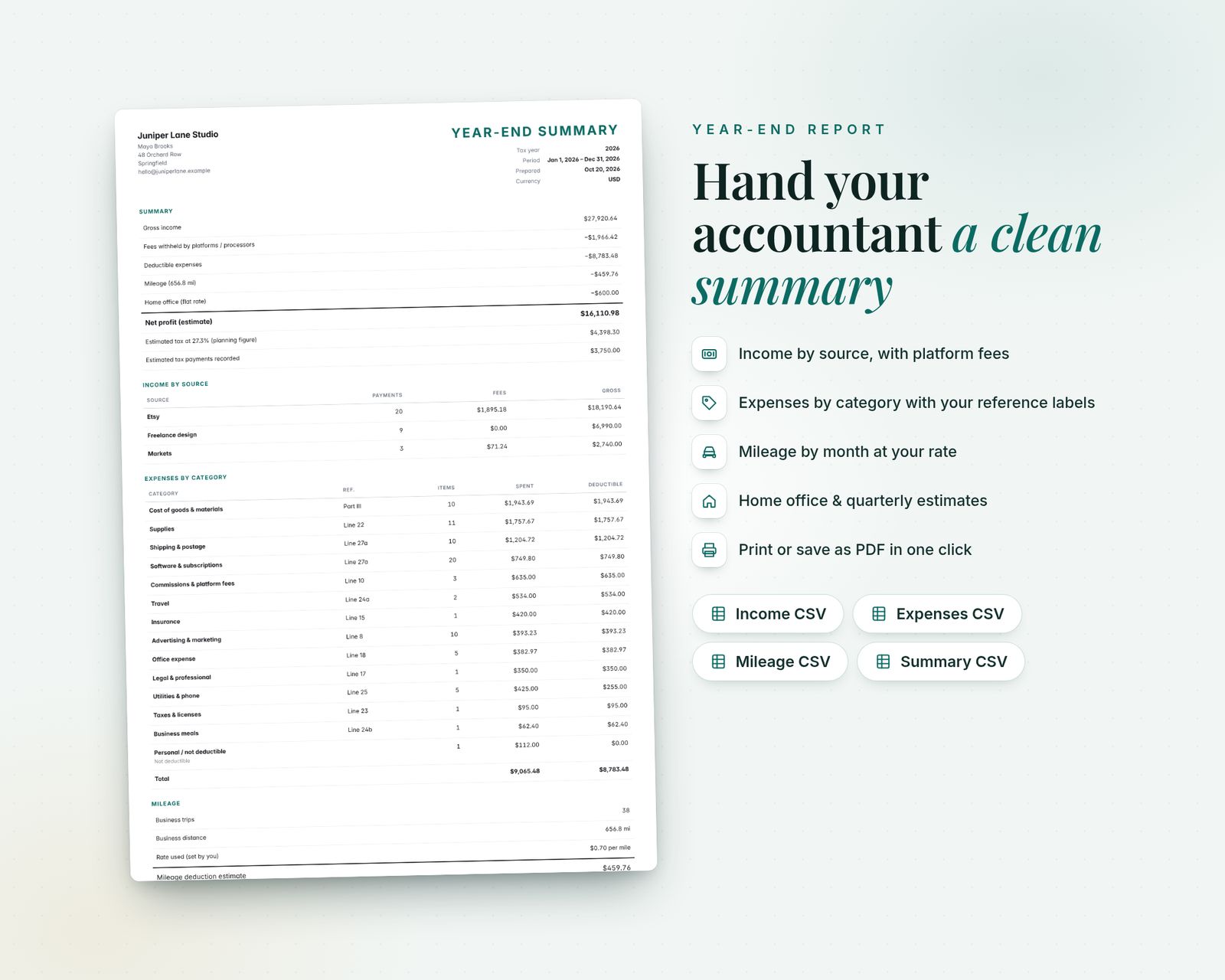
- A printable summary for your accountant: income by source, fees, expenses by category with references, mileage by month, home office, quarterly estimates and net profit
- Print or save as PDF from your browser
- CSV exports: income, expenses, mileage log and category summary (open in Excel or Google Sheets)
- Any tax year, or a custom year start such as April 6, e.g. "2026/27"
07 · EXTRAS
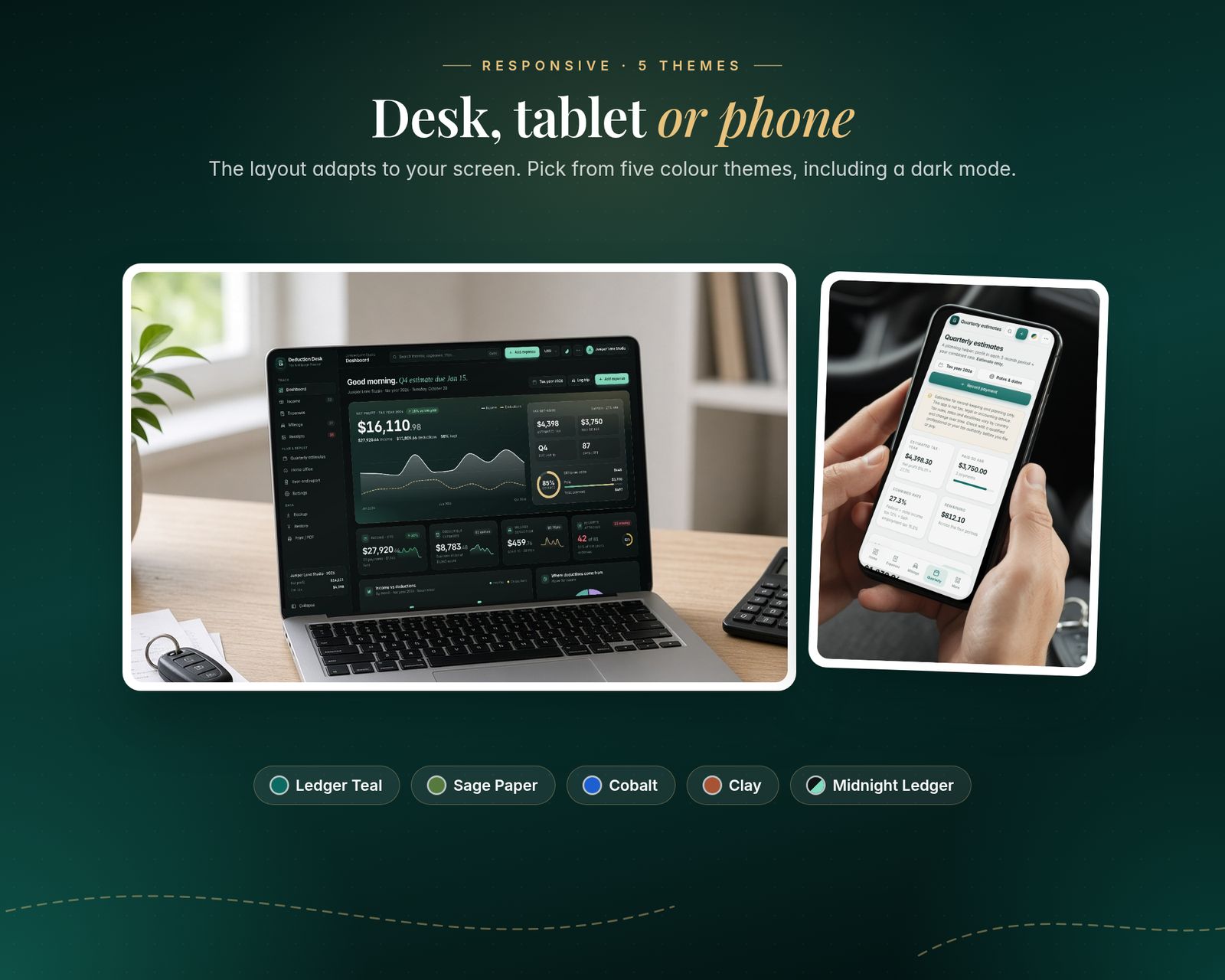
- 5 colour themes: Ledger Teal, Sage Paper, Cobalt, Clay and Midnight Ledger (dark)
- 27 currencies (incl. USD, GBP, EUR, CAD, AUD, AED, SAR, OMR, INR and more)
- Search everything with Ctrl/Cmd + K
- Backup & Restore to a single file (includes your receipt images)
- Sample data to explore first, then reset and start fresh
What's included
Includes the hosted web app, a downloadable offline copy (Tax-Deduction-Mileage-Tracker.html), the Quick-Start Guide (PDF) and a personal license.
Compatibility
Tested in Google Chrome on desktop and phone-size screens; installs to iPhone Home Screen from Safari.
Your data is saved in the browser on each device; use Backup & Restore to move it.
FAQ
Good questions.
Does it work outside the US?+
Yes. Choose the UK or Other country preset, set your own tax-year start (e.g. April 6), use kilometres, rename the categories and pick from 27 currencies.
What mileage rate does it use?+
Whatever rate you enter in Settings. It starts at 0 so you set the rate that applies to you, and you can override it on individual trips.
Where are my receipts stored? Can you see them?+
Only in your browser on your device. Nothing is sent to me or anywhere else. Backups include your receipt images.
Does it work on my iPhone?+
Yes, use the hosted version. After you buy, open your private app link in Safari and tap Share, then Add to Home Screen. It opens full screen and works offline after the first visit. We test in Google Chrome, including phone-size screens. If anything doesn't work on your device, message us.
What do I get after paying?+
A private link to the hosted app, plus a ZIP download with Tax-Deduction-Mileage-Tracker.html (the offline file), the Quick-Start Guide (PDF) and the license.
Does my data sync between devices?+
No. Each device keeps its own data in the browser. Use Backup & Restore inside the app to move it to another device.
You might also like

Deduction Desk
$24.99