Lifestyle scenes are AI-generated. App screens are real, with fictional sample data.
Resale Ledger
Business · Offline web app
Reseller Inventory & Profit Tracker
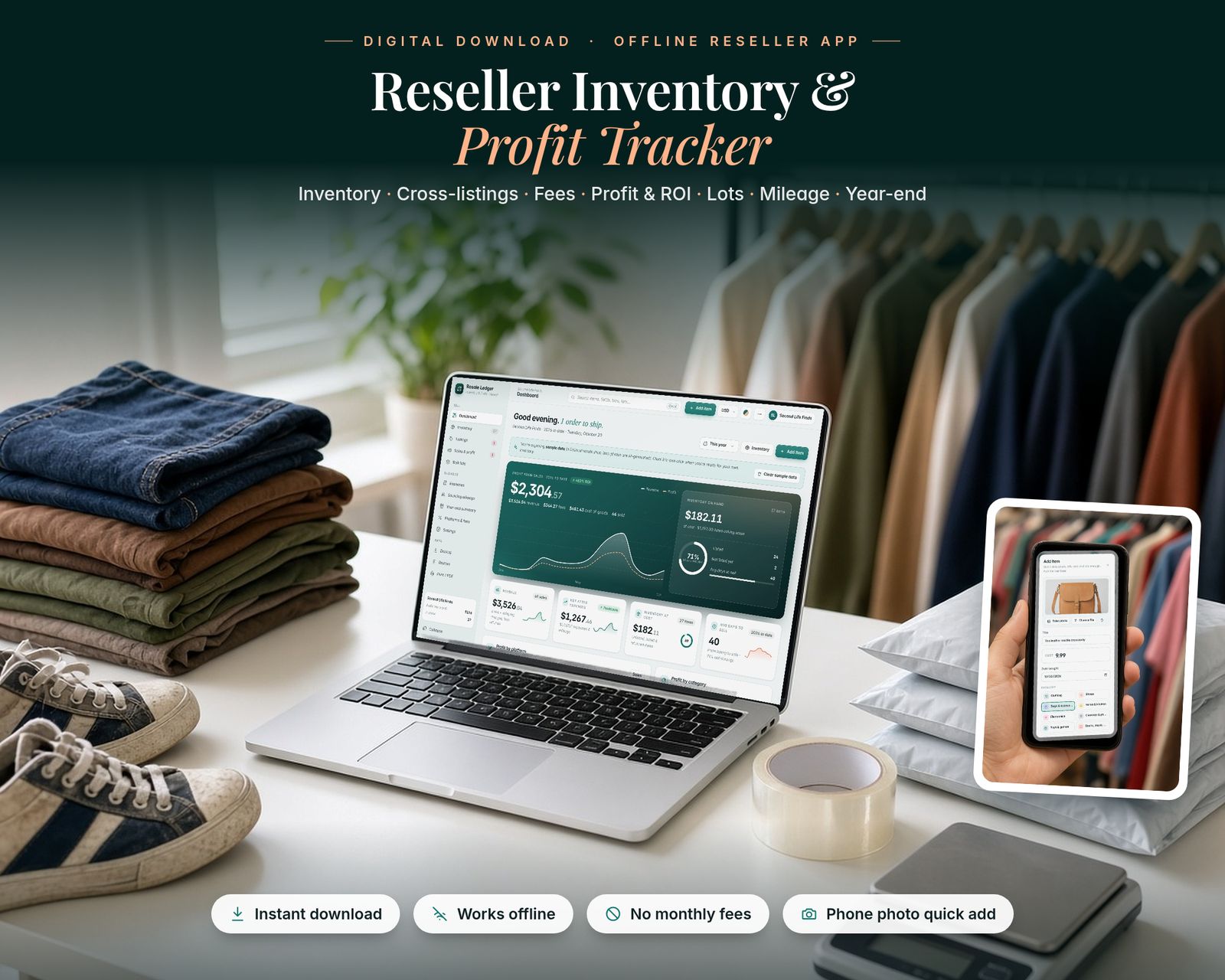
Track every item you resell, from thrift store to buyer, in one private offline app: what you paid, where it's listed, what it sold for, the platform fees, and what you really made.
$22.99One-time purchase · no subscription
Instant download
Right after payment
Works offline
After the first visit
No subscription
Pay once
Private
Stays on your device
Includes the hosted web app, a downloadable offline copy (Reseller-Inventory-Profit-Tracker.html), the Quick-Start Guide (PDF) and a personal license.
What it is
Resale Ledger is a Reseller Inventory & Profit Tracker that runs in your web browser. It's made for flippers, thrifters and part-time or full-time resellers. It works for sellers on eBay, Poshmark, Mercari, Depop, Vinted, Whatnot and Facebook Marketplace, plus local sales and any other platform you add. It's a single file. It works offline, updates every total instantly and saves your work automatically.
15-second tour
See it in action.
Recorded from the real app with sample data. No sound.
Inside the app
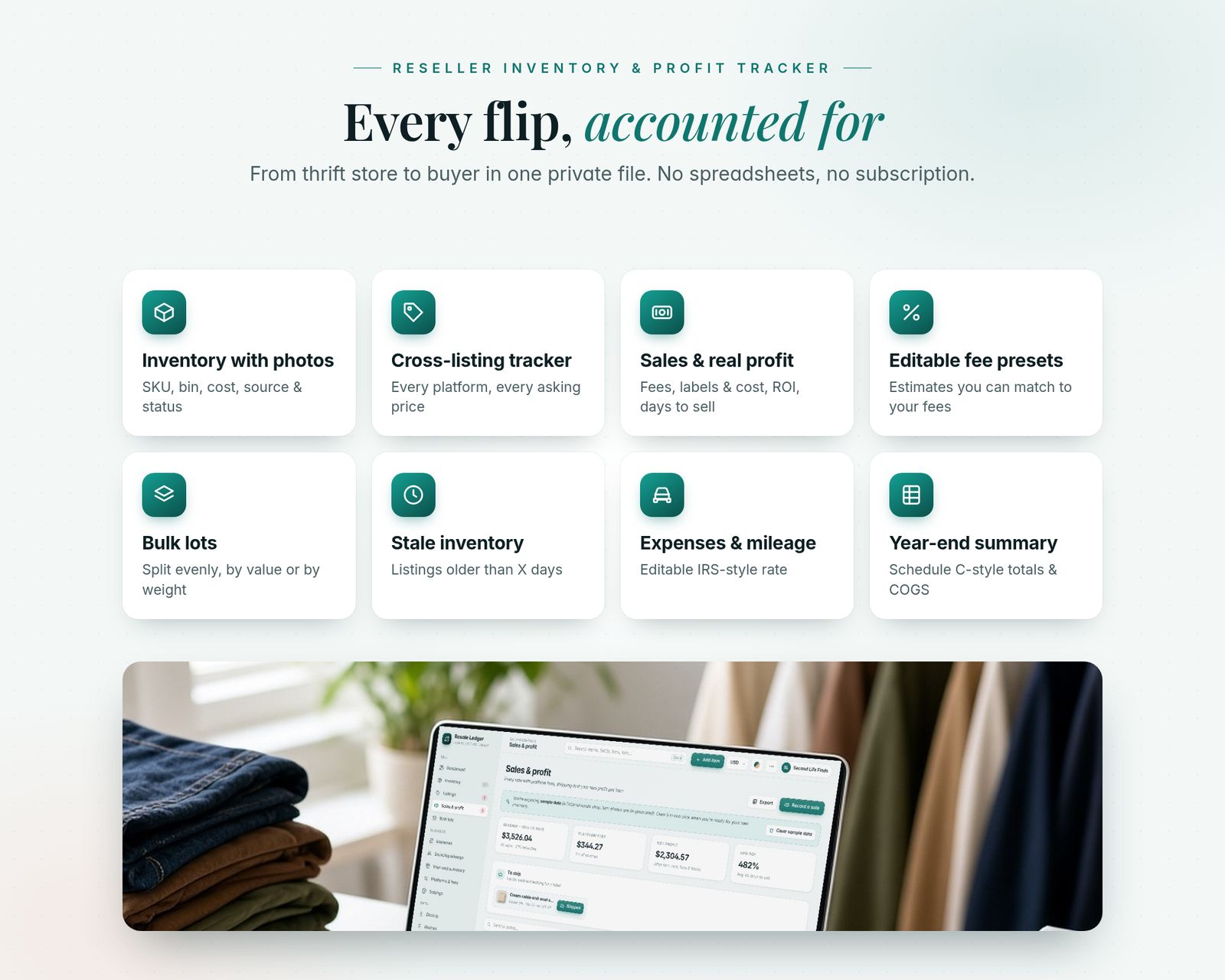
Everything it does, in detail.
Every feature listed here is in the app today.
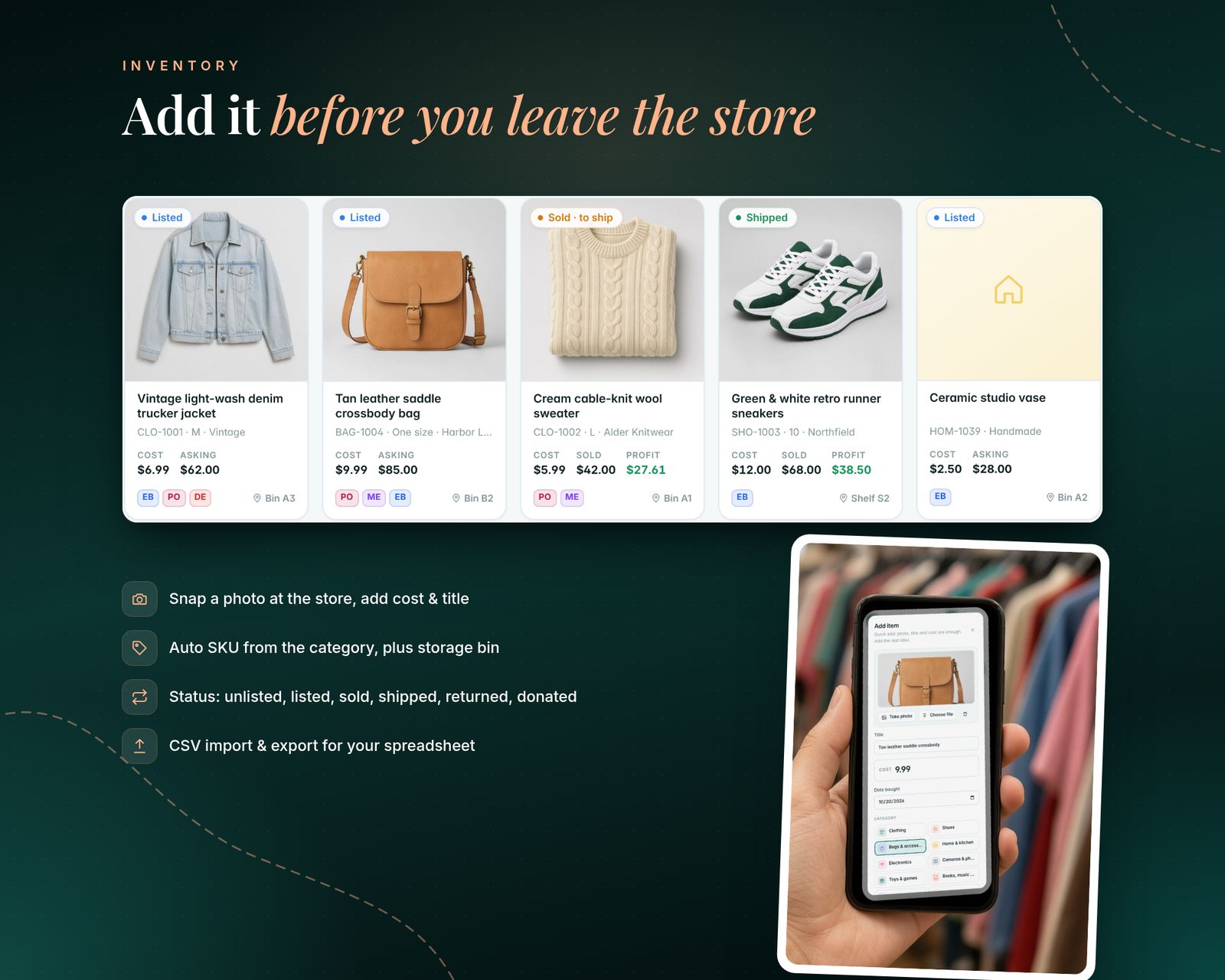
01 · INVENTORY WITH PHOTOS
- Quick add on your phone or computer: take a photo or choose a file, then add the title and cost. Category, brand, size, condition, source, date bought and storage bin are optional
- Automatic SKU from the category code (e.g. CLO-1042), and you can edit the codes
- Status for every item: unlisted, listed, sold (to ship), shipped, returned or donated
- Grid view with photos or a compact list, with filters by status, category, source and platform, and sorting by age, cost, price or profit
- "Save & add another" for a whole haul, and a printable SKU label for the bag or bin
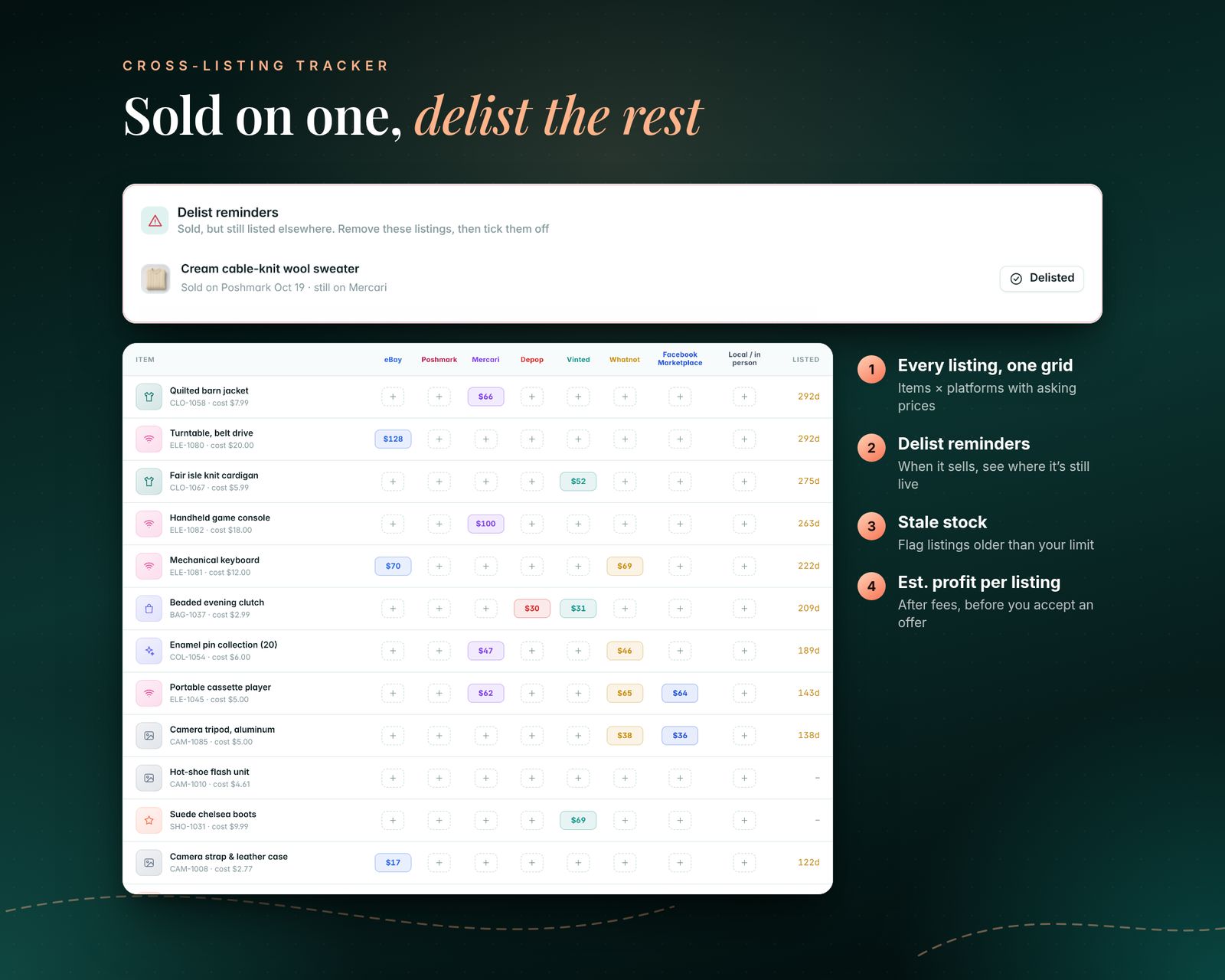
02 · CROSS-LISTING TRACKER
- Record where each item is listed and the asking price on each platform
- One grid of items × platforms, editable with a click
- Delist reminders: when an item sells on one platform, see where it's still live
- Stale inventory: flag listings older than your limit (60 days by default)
- Estimated profit per listing after fees, so you know your floor before you accept an offer
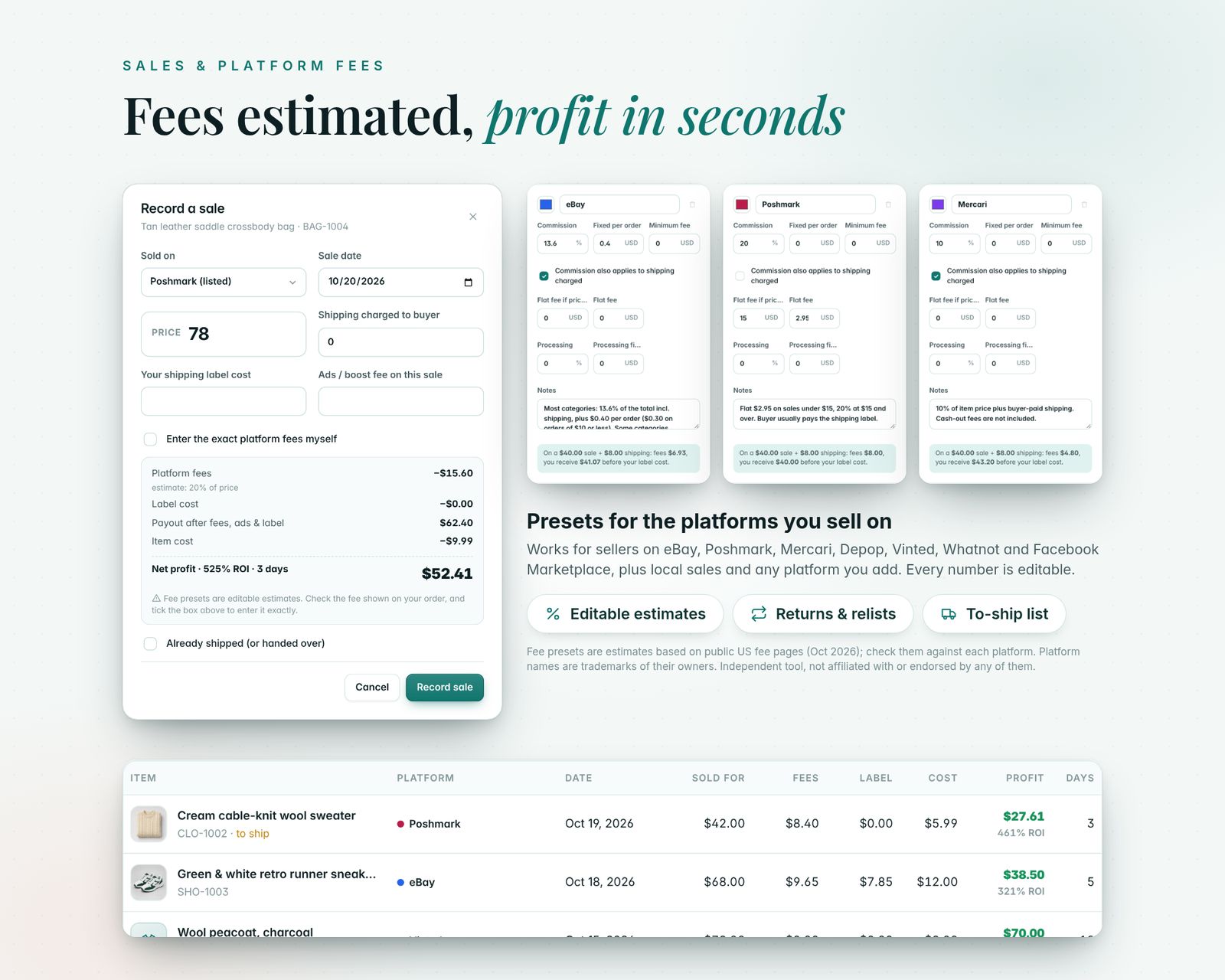
03 · SALES, FEES & PROFIT
- Record a sale with price, shipping charged to the buyer, your label cost and any promoted-listing fee
- The platform fee is estimated from an editable preset, or type the exact fee from your order
- Net profit, ROI and days to sell for every item, with a live preview before you save
- Returns: record the refund, fees given back and the return label. The item goes back into stock, and if it sells again the profit includes the cost of the failed sale
- To-ship list, with one click to mark orders shipped
04 · EDITABLE FEE PRESETS (ESTIMATES)
- Presets for eBay, Poshmark, Mercari, Depop, Vinted, Whatnot, Facebook Marketplace and local sales, based on each platform's public US fee pages as checked in October 2026. Every part is editable: commission %, whether it applies to shipping, fixed fee, flat fee under a price, minimum fee and payment processing. Platforms change their fees, and fees vary by category, country, store plan and promotions, so please check the presets against each platform's current fee page. Add any other platform you sell on.
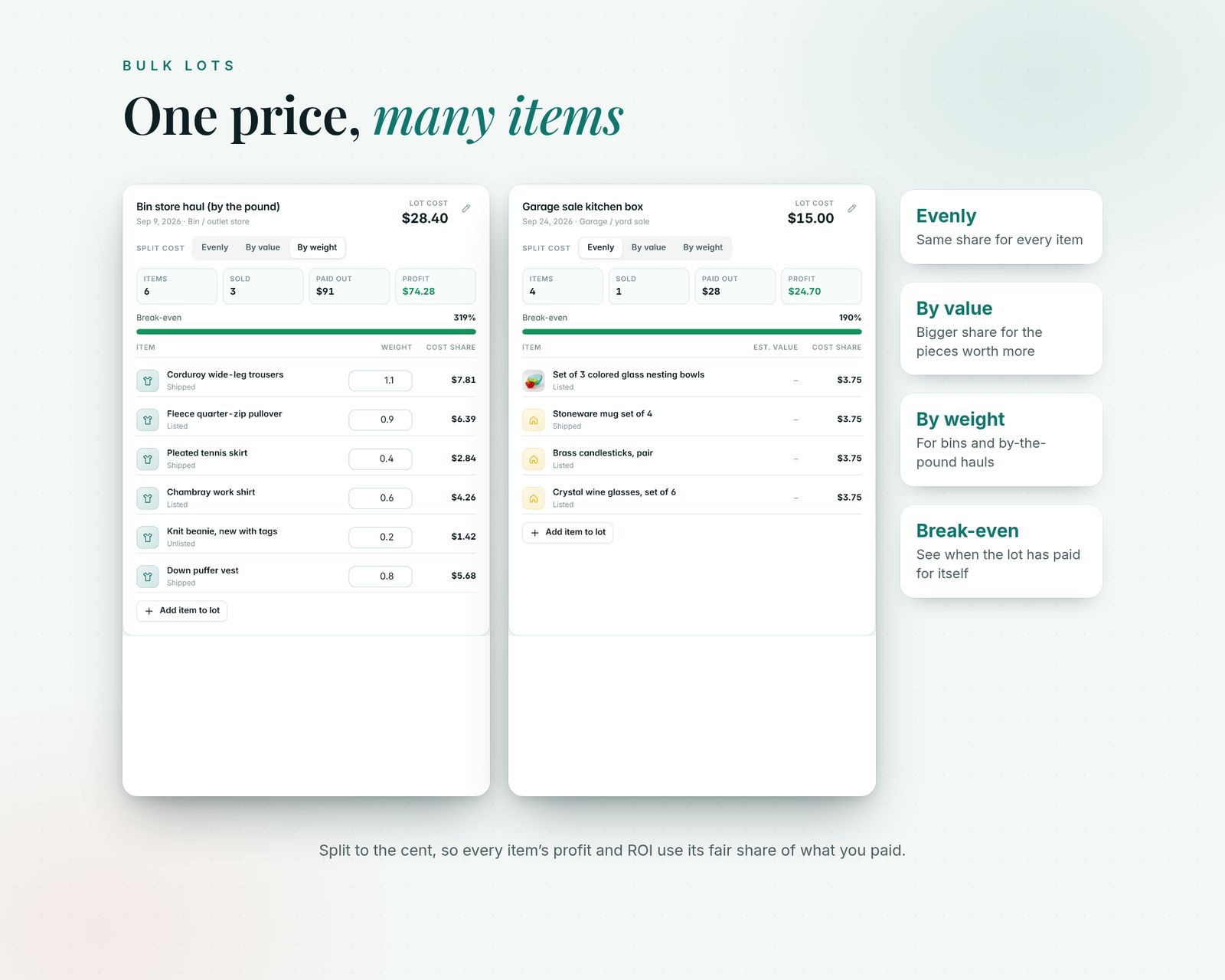
05 · BULK LOTS
- Bought a box, bin, bag or pallet for one price? Split the cost evenly, by estimated value or by weight, to the cent
- See paid out so far, profit and break-even for each lot
- Create blank items for a lot in one go
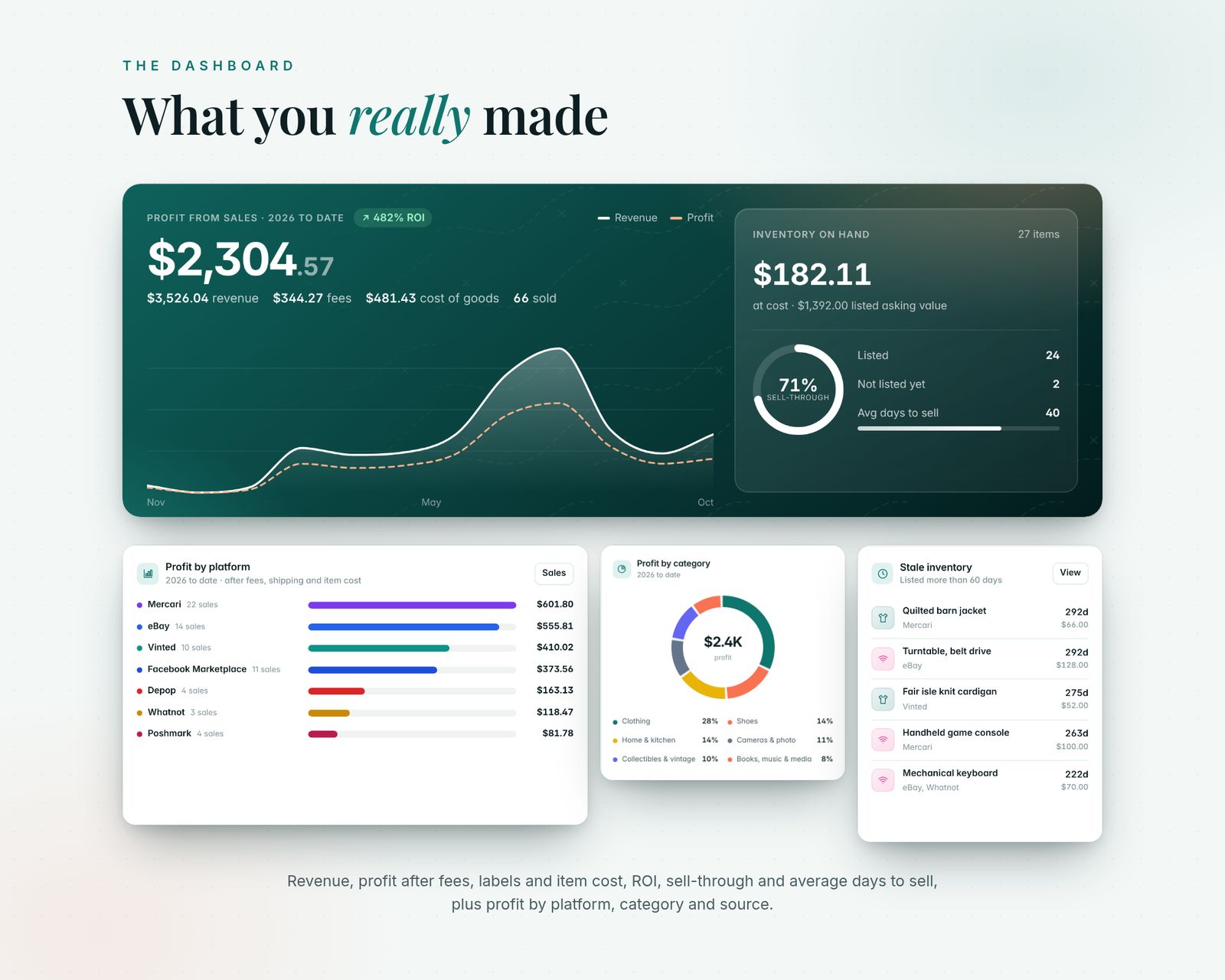
06 · DASHBOARD
- Profit, revenue, fees and cost of goods for this month, 30 or 90 days, this year, last year or all time
- Inventory on hand at cost and at asking price, sell-through and average days to sell
- Profit by platform, by category and by source (which thrift store or sale pays best)
- Best flips, stale inventory, orders to ship and insights
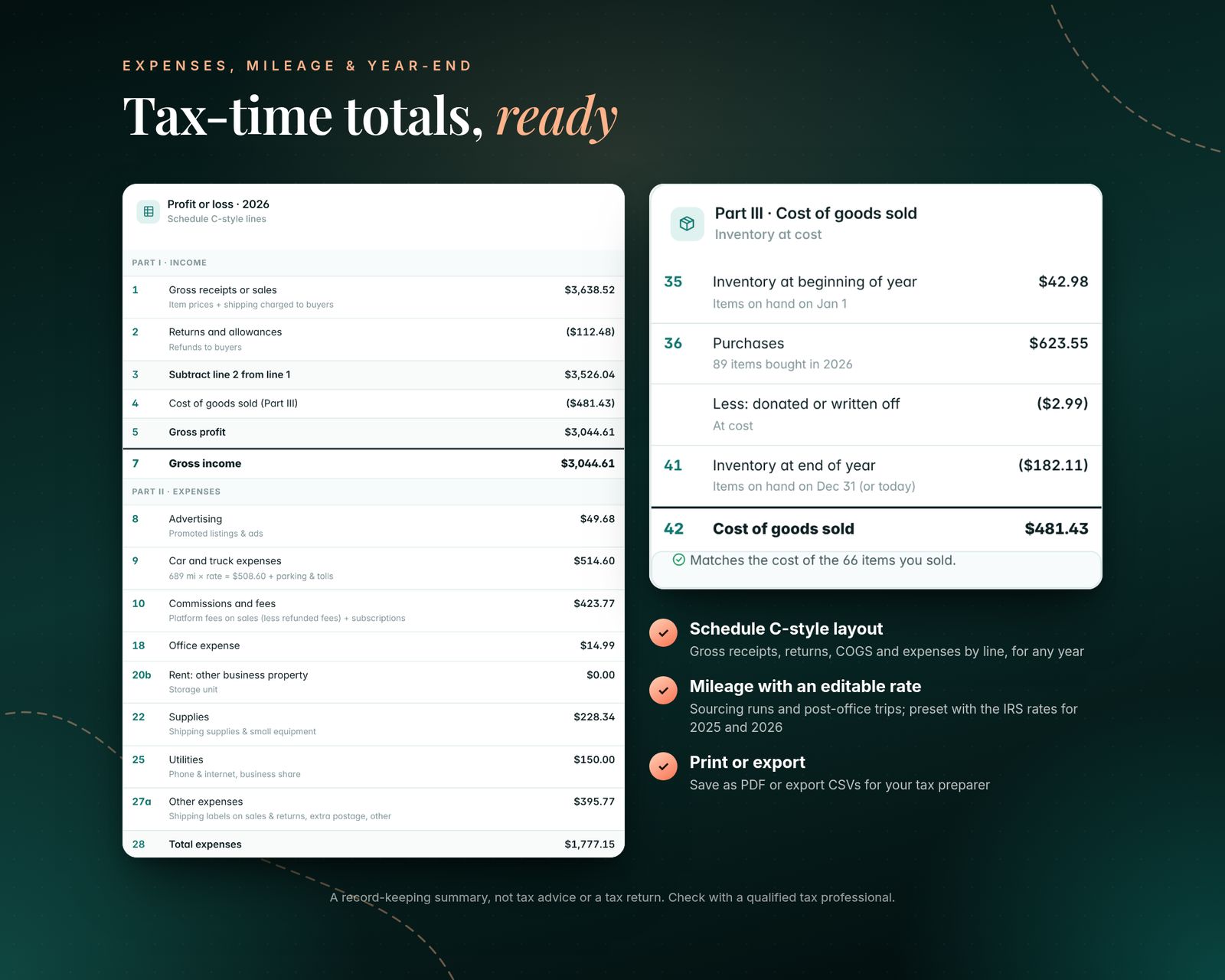
07 · EXPENSES, MILEAGE & YEAR-END
- Business expenses: supplies, equipment, subscriptions, promoted listings, storage, phone share, parking and more
- Mileage log for sourcing runs and post-office trips, with an editable rate by date. It's preset with the IRS business rates: $0.70/mile (2025), $0.725 (Jan–Jun 2026) and $0.76 (from Jul 1, 2026). Miles or km
- Year-end summary in a Schedule C-style layout: gross receipts, returns, cost of goods sold with an inventory reconciliation, expenses by line and net profit. Print it or save it as a PDF for your tax preparer
08 · EXTRAS
- CSV import (match your spreadsheet's columns, preview first) and CSV export of inventory, sales, expenses and trips
- Backup & Restore to a single file, including your item photos
- Search everything with Ctrl/Cmd + K
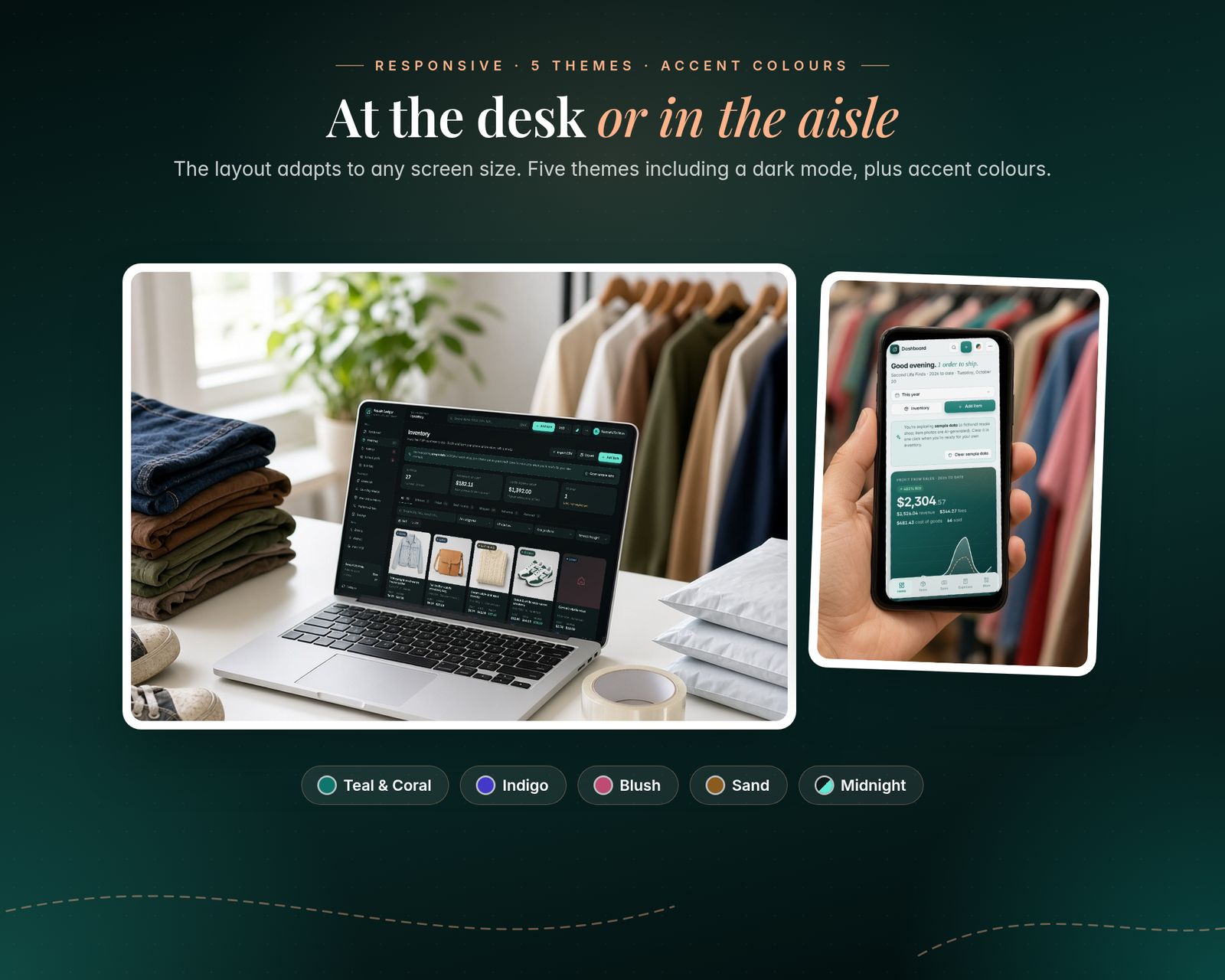
- 5 colour themes, Teal & Coral, Indigo, Blush, Sand and Midnight (dark), plus accent colours
- 27 currencies
- Print any page or save it as a PDF
- A sample shop to explore first, then clear it with one click
What's included
Includes the hosted web app, a downloadable offline copy (Reseller-Inventory-Profit-Tracker.html), the Quick-Start Guide (PDF) and a personal license.
Compatibility
Tested in Google Chrome on desktop and phone-size screens; installs to iPhone Home Screen from Safari.
Your data is saved in the browser on each device; use Backup & Restore to move it.
FAQ
Good questions.
Does it connect to my eBay or Poshmark account?+
No. It doesn't log in to any marketplace. Add items and sales by hand in a few taps, or import a CSV from your spreadsheet.
Are the fees exact?+
They're estimates from editable presets. If your order shows a different fee, type the exact amount for that sale, or change the preset.
I buy in bulk. Can it split the cost?+
Yes. Bulk lots split the price evenly, by estimated value or by weight.
Can you see my data? Is it uploaded?+
No. Everything stays in your browser on your device. Nothing is sent to me or anywhere else.
Does it work on my iPhone?+
Yes, use the hosted version. After you buy, open your private app link in Safari and tap Share, then Add to Home Screen. It opens full screen and works offline after the first visit. We test in Google Chrome, including phone-size screens. If anything doesn't work on your device, message us.
What do I get after paying?+
A private link to the hosted app, plus a ZIP download with Reseller-Inventory-Profit-Tracker.html (the offline file), the Quick-Start Guide (PDF) and the license.
Does my data sync between devices?+
No. Each device keeps its own data in the browser. Use Backup & Restore inside the app to move it to another device.
You might also like
Resale Ledger
$22.99