Lifestyle scenes are AI-generated. App screens are real, with fictional sample data.
Stitch Studio
Business · Offline web app
Embroidery & Custom Apparel Shop Manager
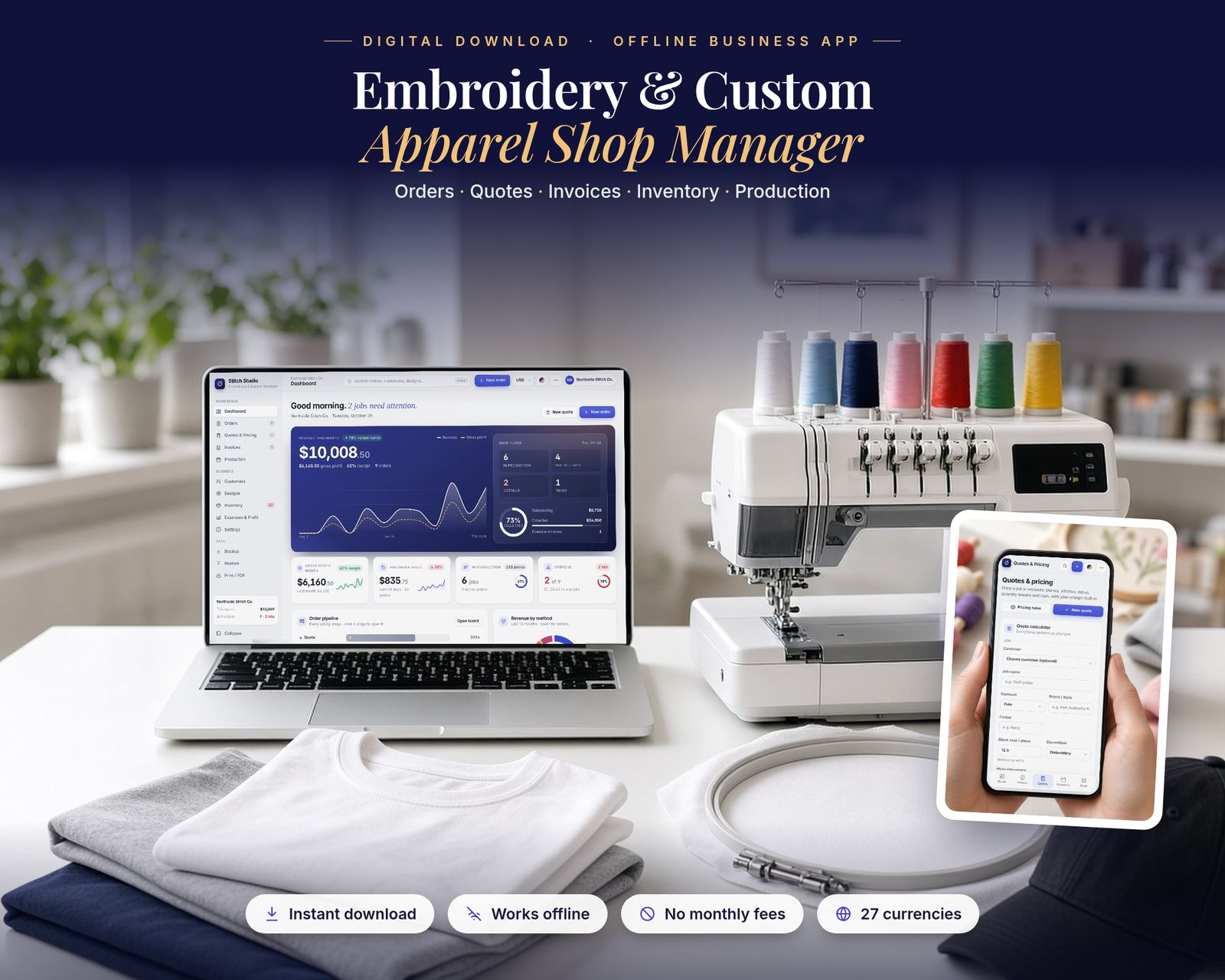
Run your embroidery or custom apparel shop from one offline app: orders, quotes, invoices, customers, inventory, designs, production scheduling and profit & loss.
$29.99One-time purchase · no subscription
Instant download
Right after payment
Works offline
After the first visit
No subscription
Pay once
Private
Stays on your device
Includes the hosted web app, a downloadable offline copy (Embroidery-Apparel-Shop-Manager.html), the Quick-Start Guide (PDF) and a personal license.
What it is
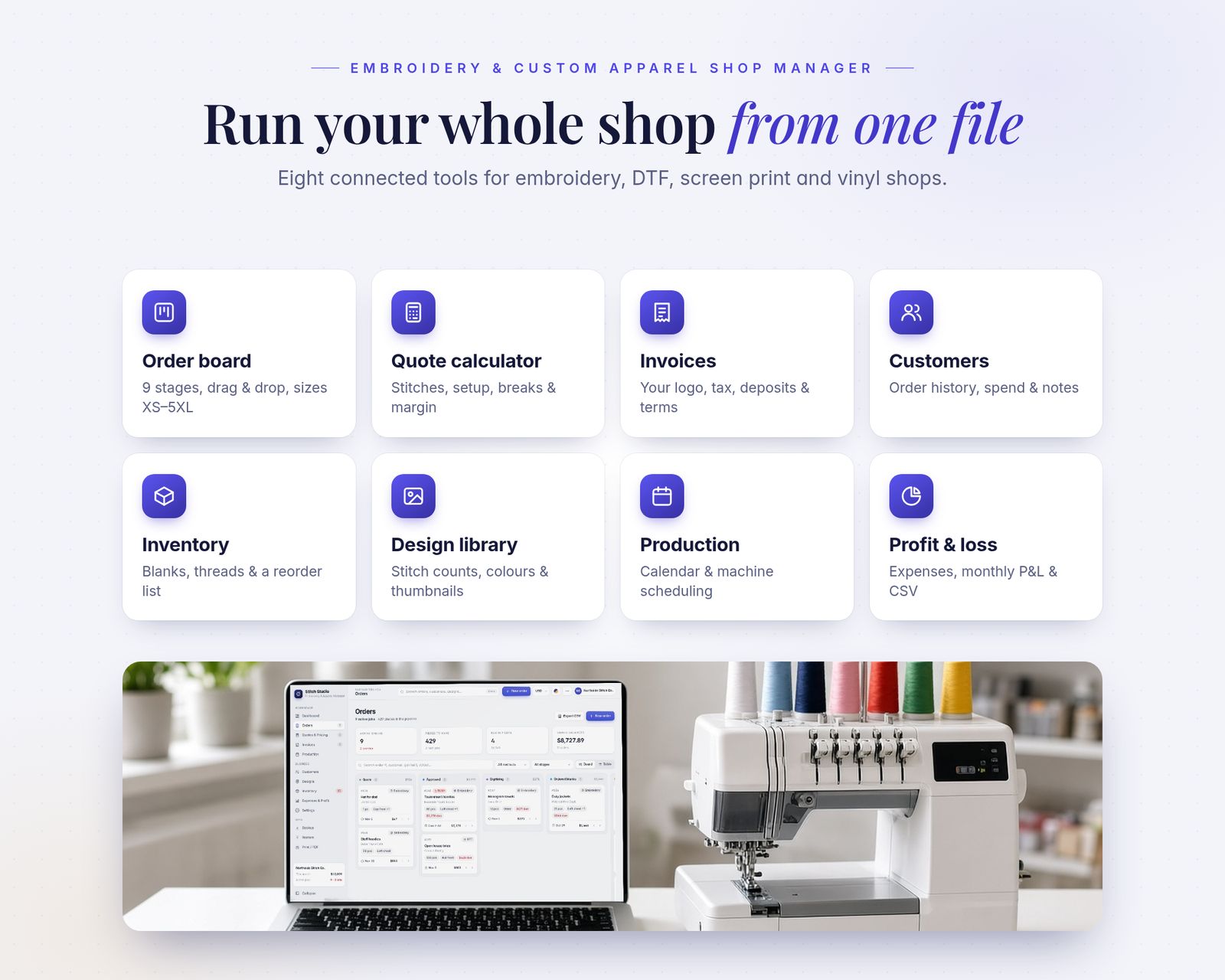
The Embroidery & Custom Apparel Shop Manager is a complete shop management app that runs in your web browser. It's built for small embroidery, DTF, DTG, screen print, vinyl/HTV, sublimation and patch businesses. It's a single file: it works offline, updates every total instantly and saves your work automatically as you go.
15-second tour
See it in action.
Recorded from the real app with sample data. No sound.
Inside the app
Everything it does, in detail.
Every feature listed here is in the app today.
01 · DASHBOARD
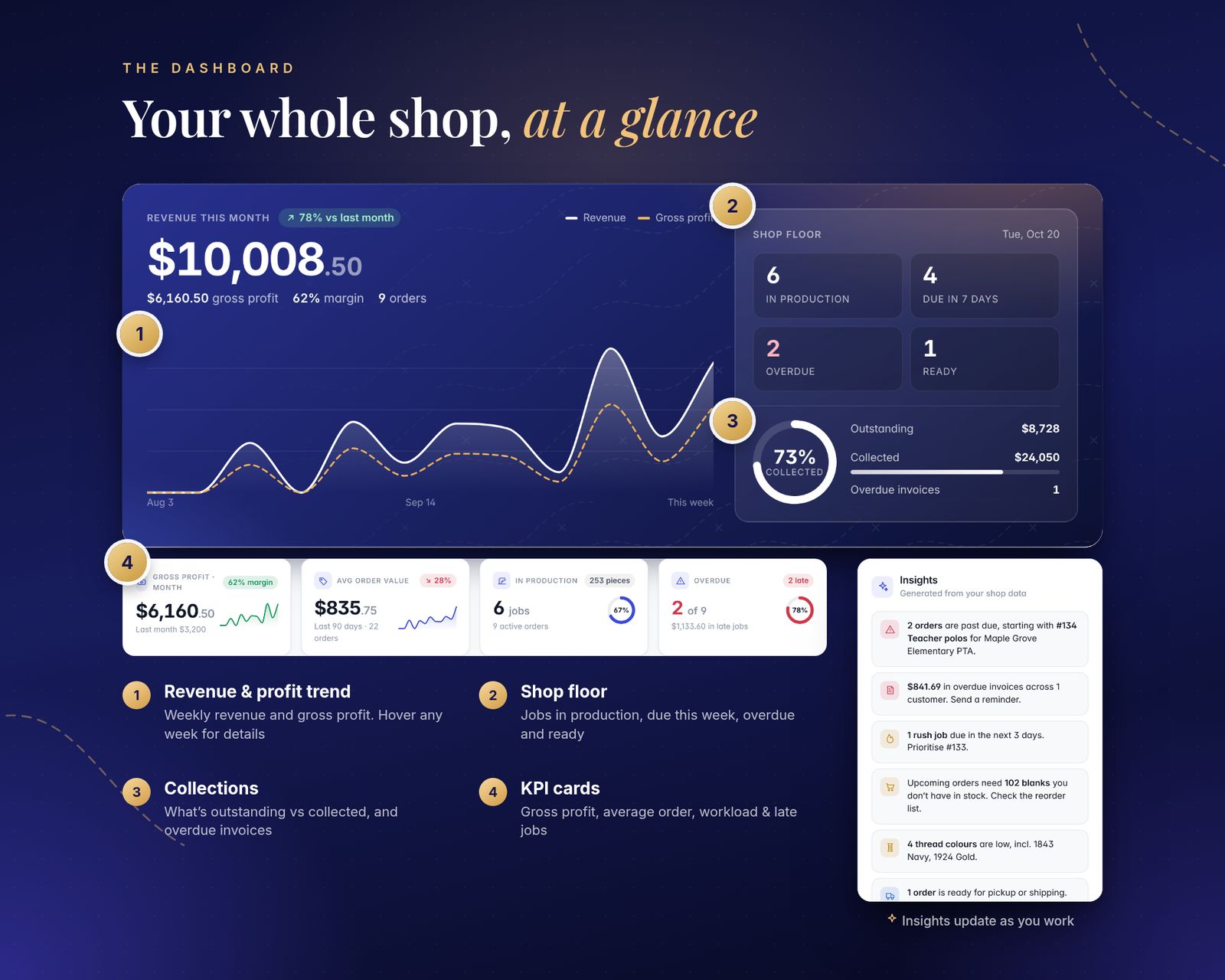
- Revenue and gross profit this month, with a weekly trend chart (hover any week)
- Shop floor: jobs in production, due in 7 days, overdue and ready for pickup
- Collections: outstanding vs collected, plus overdue invoices
- KPI cards: gross profit and margin, average order value, workload and late jobs
- Order pipeline by stage, revenue by decoration method, top products and top customers
- Smart insights: late jobs, overdue invoices, rush jobs, blank shortages and low thread
02 · ORDERS
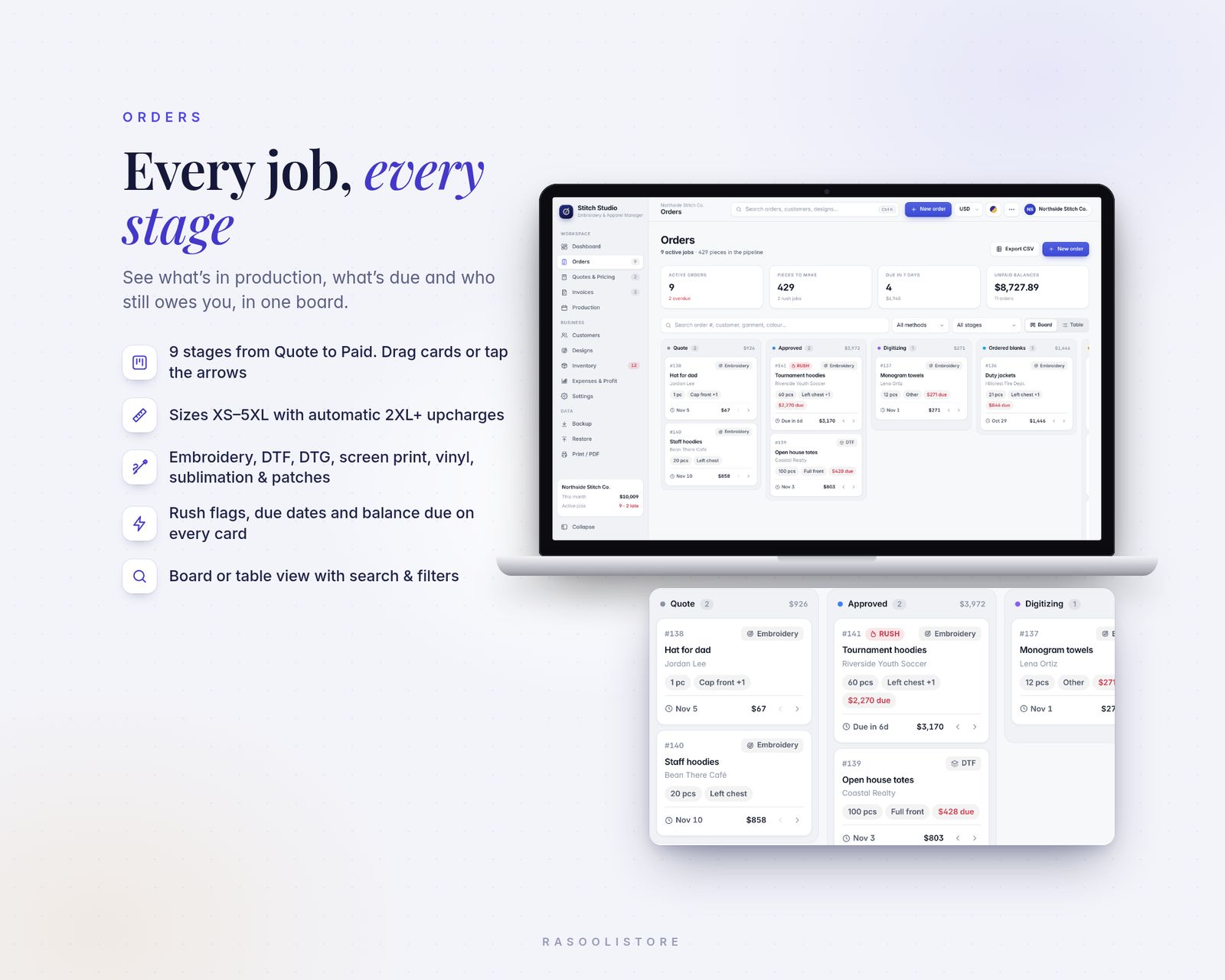
- 9-stage board: Quote → Approved → Digitizing → Ordered blanks → In production → Quality check → Ready → Shipped / Picked up → Paid
- Drag & drop cards, or move them with the arrows; switch to a sortable table view
- Size grid OS and XS–5XL, with automatic 2XL+ upcharges
- Multiple garments per order: brand, style #, colour, price and cost
- Methods: Embroidery, DTF, DTG, Screen print, Vinyl / HTV, Sublimation, Patches
- Placements (left chest, full back, sleeves, cap front/side/back, nape and more), design, stitch count and thread colours
- Rush flags, due dates, deposits, discounts, fees and balance due on every card
- Search and filter by method and stage, duplicate repeat orders in one click
03 · QUOTES & PRICING CALCULATOR
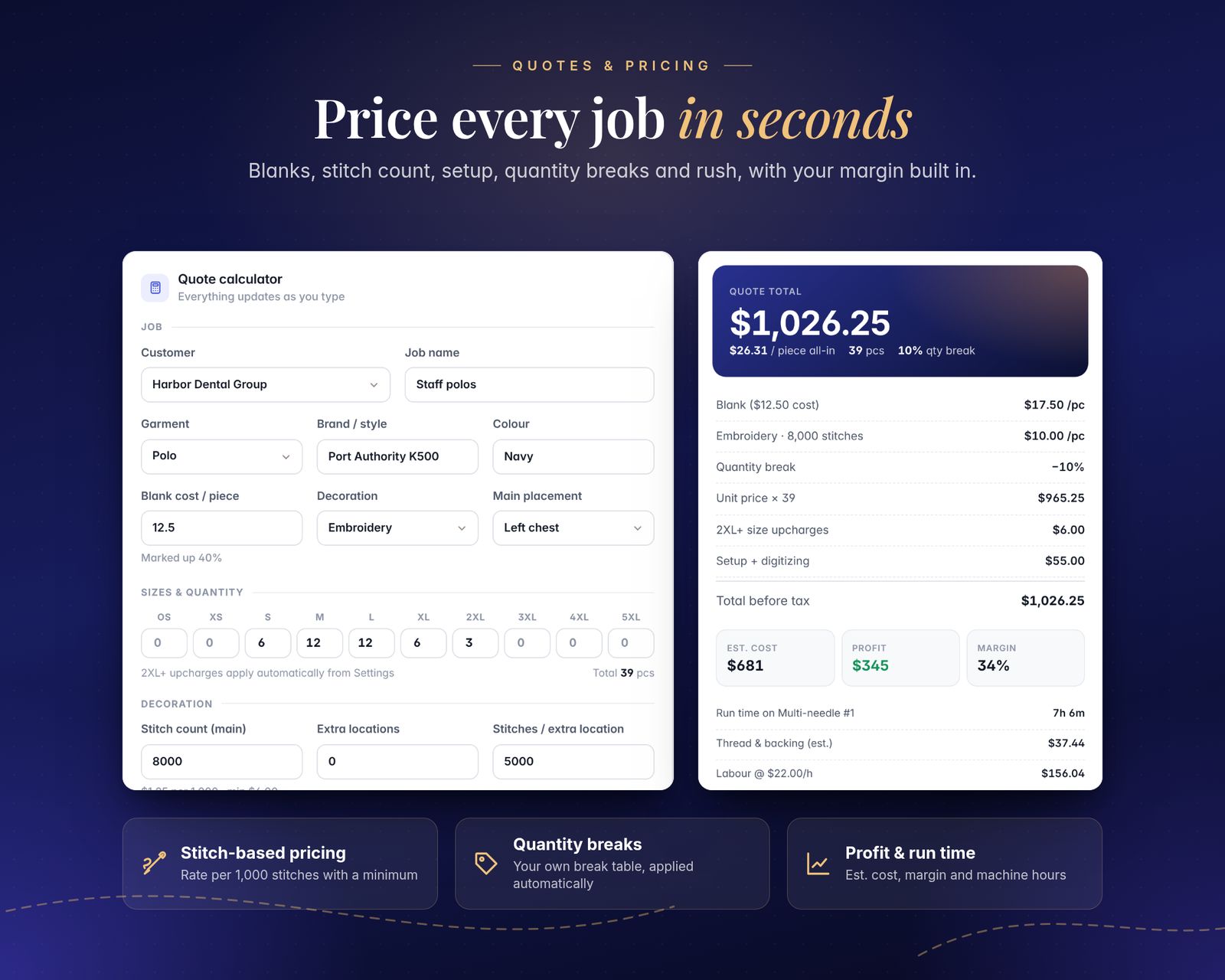
- Price a job as you type: blank cost with your markup or target margin, stitch-based embroidery pricing (rate per 1,000 stitches with a per-piece minimum), extra locations, digitizing and setup fees, rush
- Your own quantity break table, applied automatically
- See the estimated cost, profit, margin, machine run time, thread & backing and labour
- Price-per-piece table by quantity to share with customers
- Save quotes, print them, and convert a quote into an order
04 · INVOICES
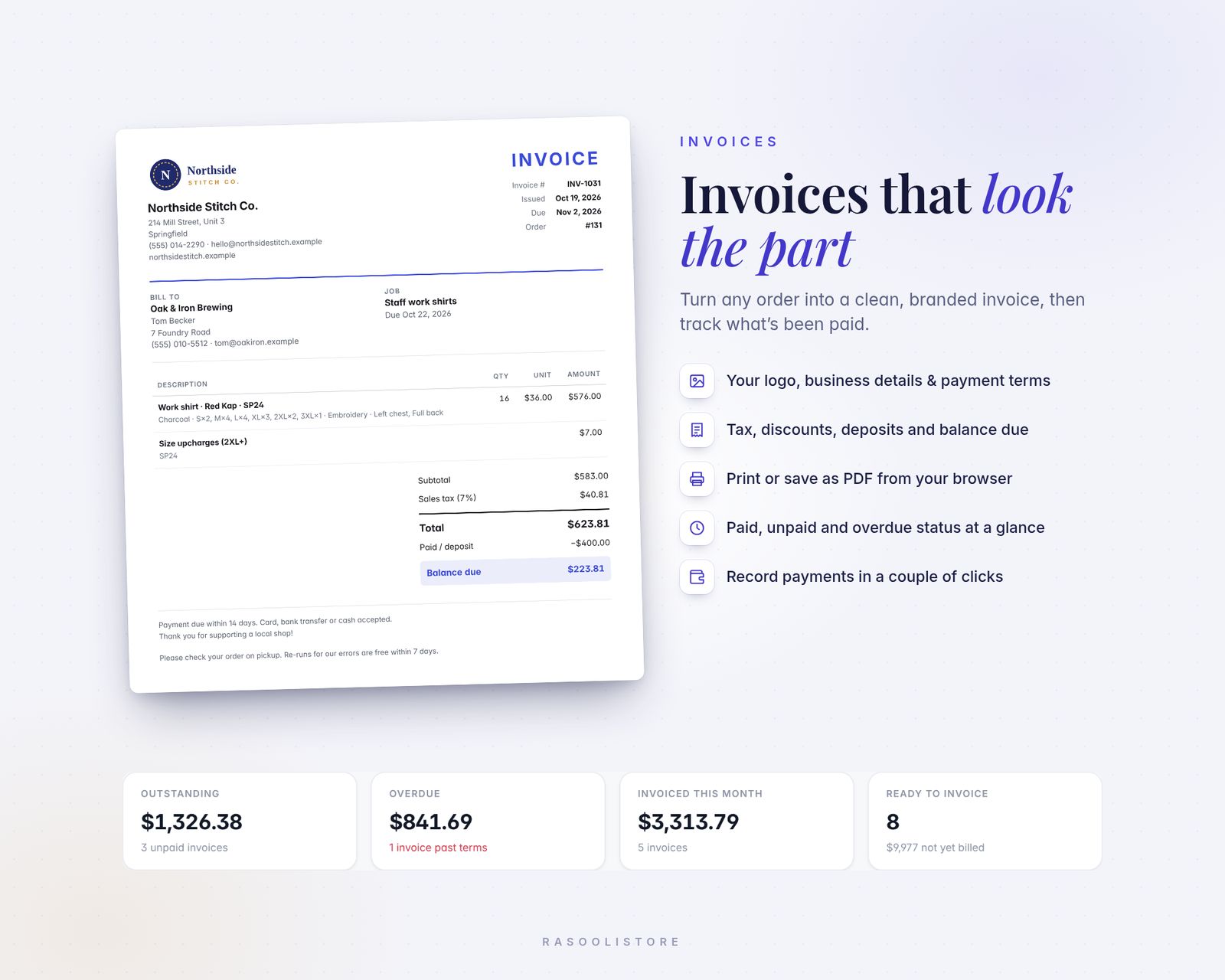
- Professional invoices with your logo, business details, tax, discounts, deposits and payment terms
- Paid / Unpaid / Overdue status worked out automatically
- Record payments, then print or save as PDF from your browser
05 · CUSTOMERS, DESIGNS & INVENTORY
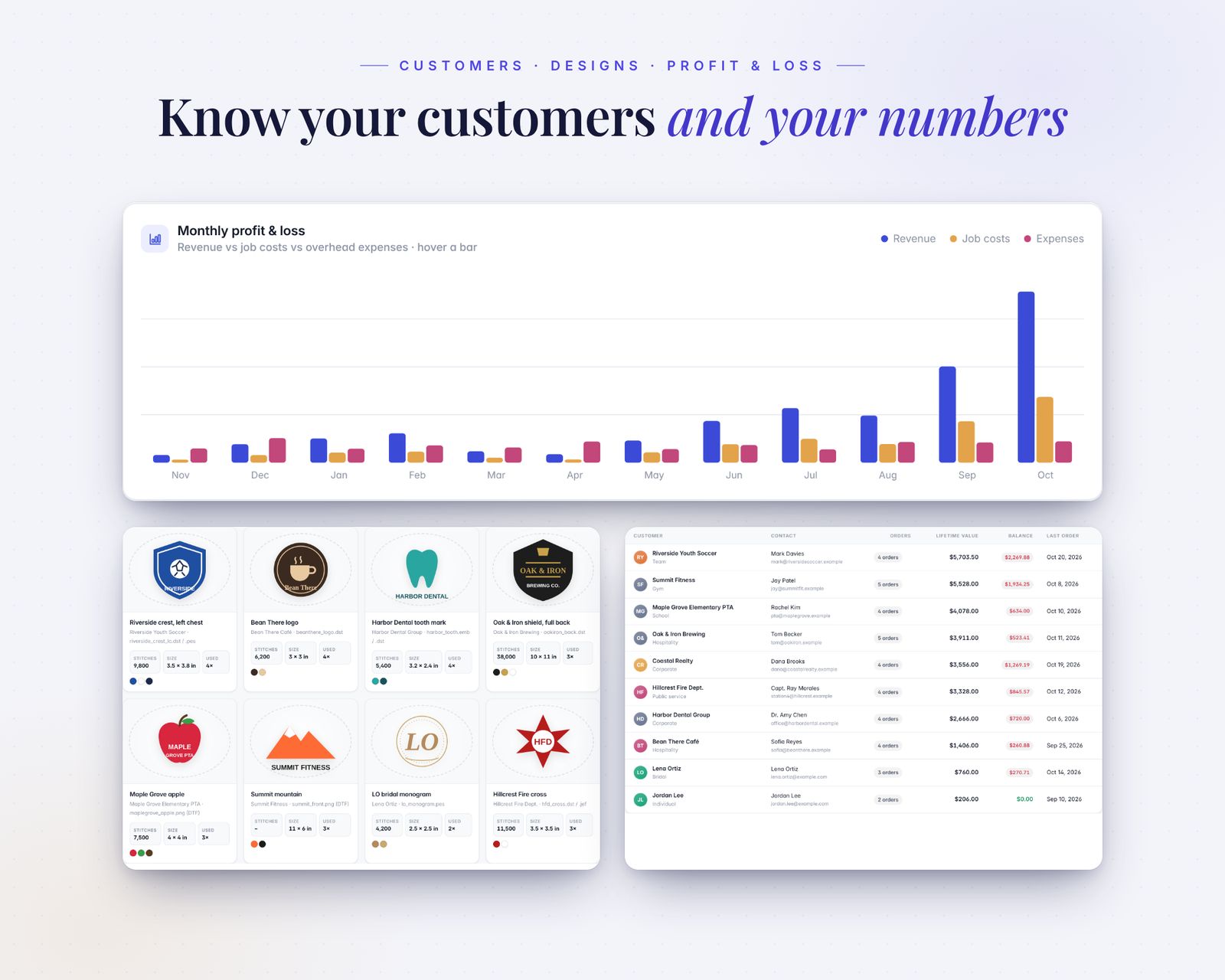
- Customer CRM: contacts, notes, order history, lifetime value and balance owed
- Design library: thumbnails, stitch counts, size, thread colours, file names (DST, PES, JEF…) and times used
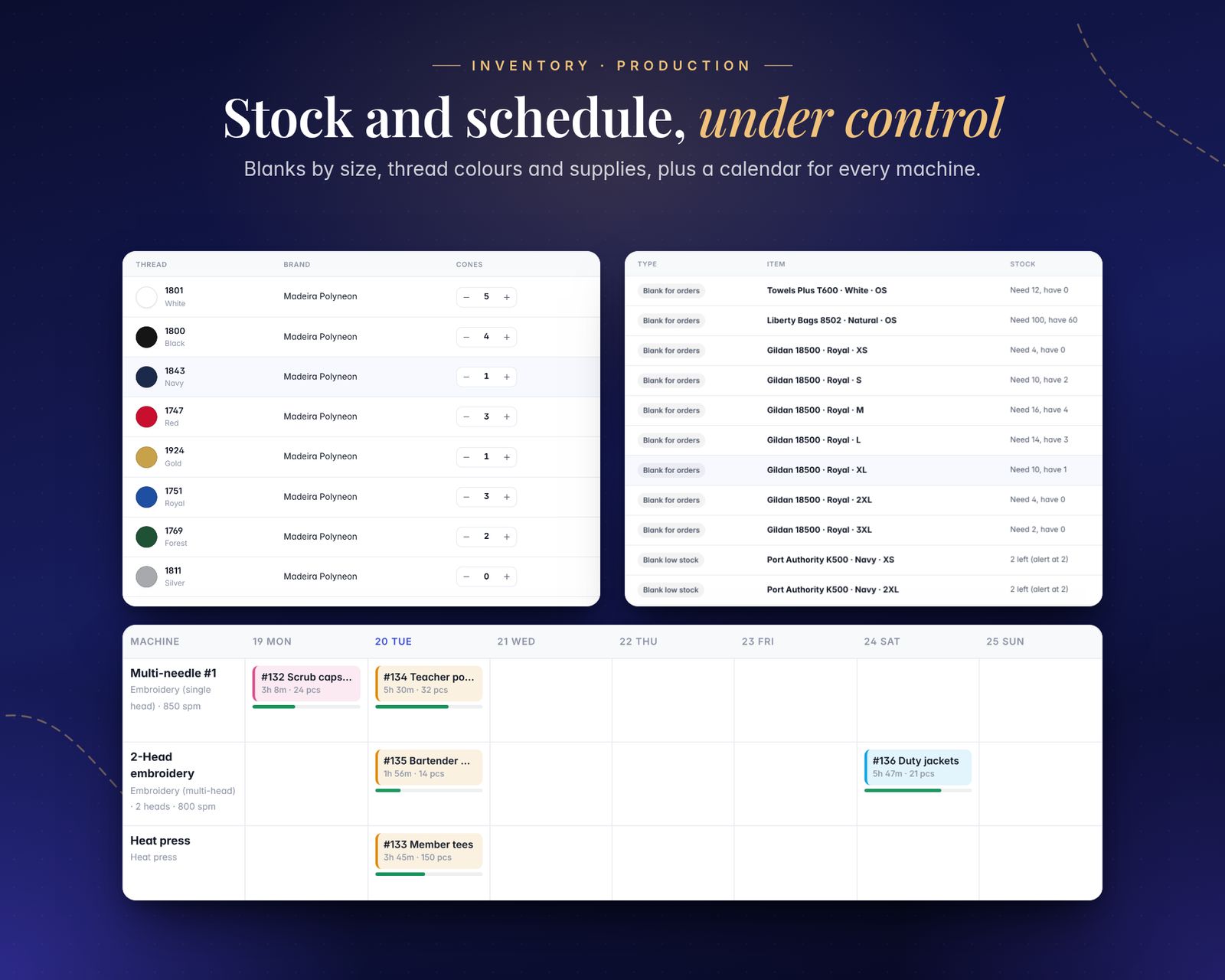
- Inventory of blanks by style, colour and size, thread colours (cones and alert levels) and supplies (backing, needles, bobbins, film, vinyl, packaging…)
- Automatic reorder list: blanks your upcoming orders need plus anything below its alert level
06 · PRODUCTION & PROFIT
- Production calendar by due date, plus a weekly schedule per machine (single-head, multi-head, heat press, DTG/DTF printer, screen press)
- Run time estimated from stitch count, machine speed and number of heads
- Expense tracker by category, monthly profit & loss with charts
07 · EXTRAS
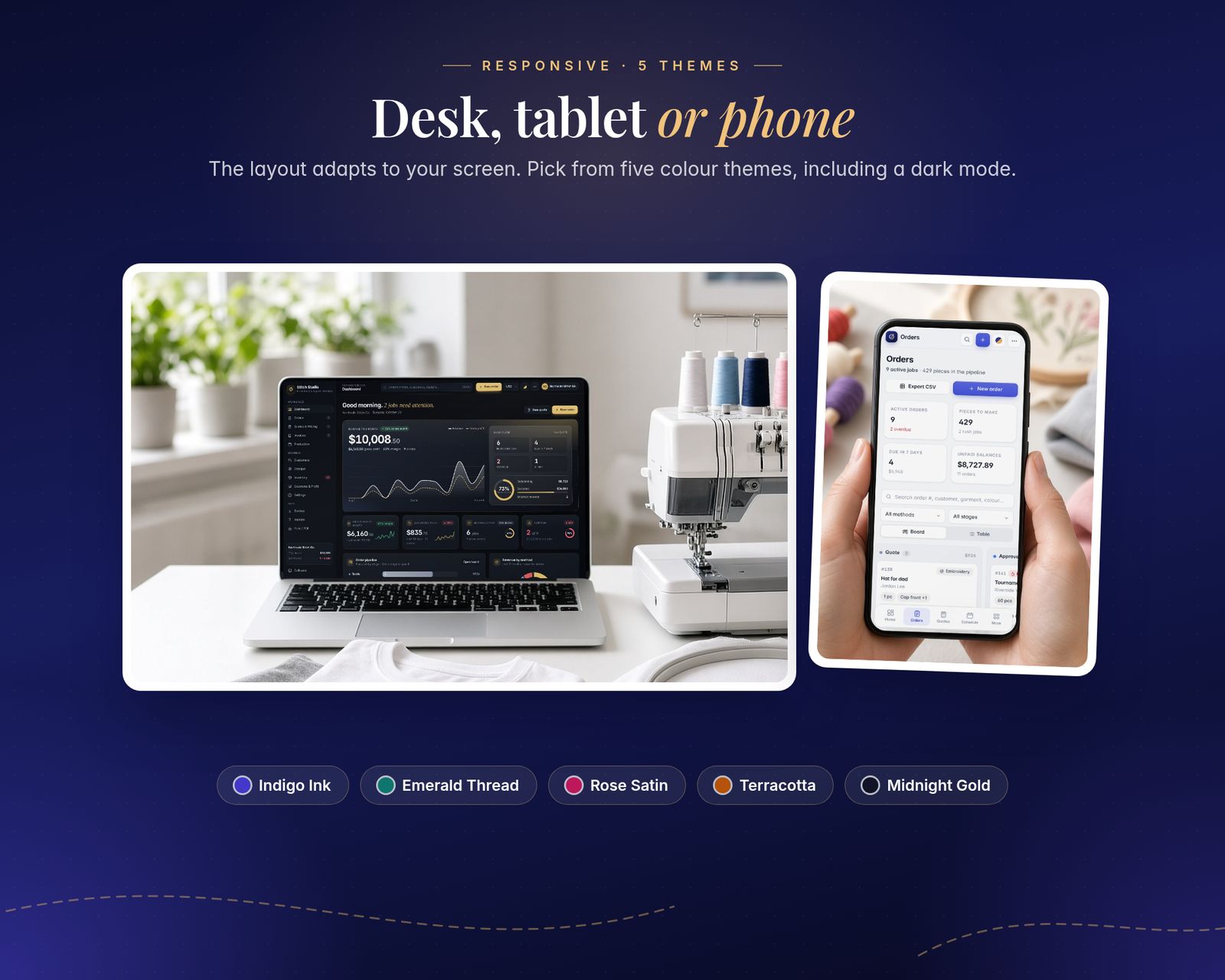
- 5 colour themes: Indigo Ink, Emerald Thread, Rose Satin, Terracotta and Midnight Gold (dark)
- 27 currencies (incl. USD, GBP, EUR, CAD, AUD, AED, SAR, OMR, INR and more)
- Search everything with Ctrl/Cmd + K
- Export orders, expenses, profit & loss and the reorder list to CSV (opens in Excel or Google Sheets)
- Backup & Restore to a small file anytime
- Print or save as PDF
- Sample shop data to explore first, then reset it and start fresh
What's included
Includes the hosted web app, a downloadable offline copy (Embroidery-Apparel-Shop-Manager.html), the Quick-Start Guide (PDF) and a personal license.
Compatibility
Tested in Google Chrome on desktop and phone-size screens; installs to iPhone Home Screen from Safari.
Your data is saved in the browser on each device; use Backup & Restore to move it.
FAQ
Good questions.
Does it work for DTF, screen print or vinyl, not just embroidery?+
Yes. Each order has a decoration method (Embroidery, DTF, DTG, Screen print, Vinyl / HTV, Sublimation, Patches), and the dashboard breaks revenue down by method. The quote calculator uses stitch-based pricing for embroidery and your own per-piece rates for the other methods.
Can I set my own prices?+
Yes. In Settings you set your stitch rate, per-piece rates for other methods, minimums, markup or margin, size upcharges, setup and digitizing fees, rush fee, quantity breaks, labour rate and tax.
Can my staff use it too?+
Yes, within your one business. Note that data is saved on each device separately; share it using Backup & Restore.
Where is my information stored? Can you see it?+
Only in your browser on your device. Nothing is sent to me or anywhere else. Use Backup regularly to keep a safe copy.
Does it work on my iPhone?+
Yes, use the hosted version. After you buy, open your private app link in Safari and tap Share, then Add to Home Screen. It opens full screen and works offline after the first visit. We test in Google Chrome, including phone-size screens. If anything doesn't work on your device, message us.
What do I get after paying?+
A private link to the hosted app, plus a ZIP download with Embroidery-Apparel-Shop-Manager.html (the offline file), the Quick-Start Guide (PDF) and the license.
Does my data sync between devices?+
No. Each device keeps its own data in the browser. Use Backup & Restore inside the app to move it to another device.
You might also like
Stitch Studio
$29.99