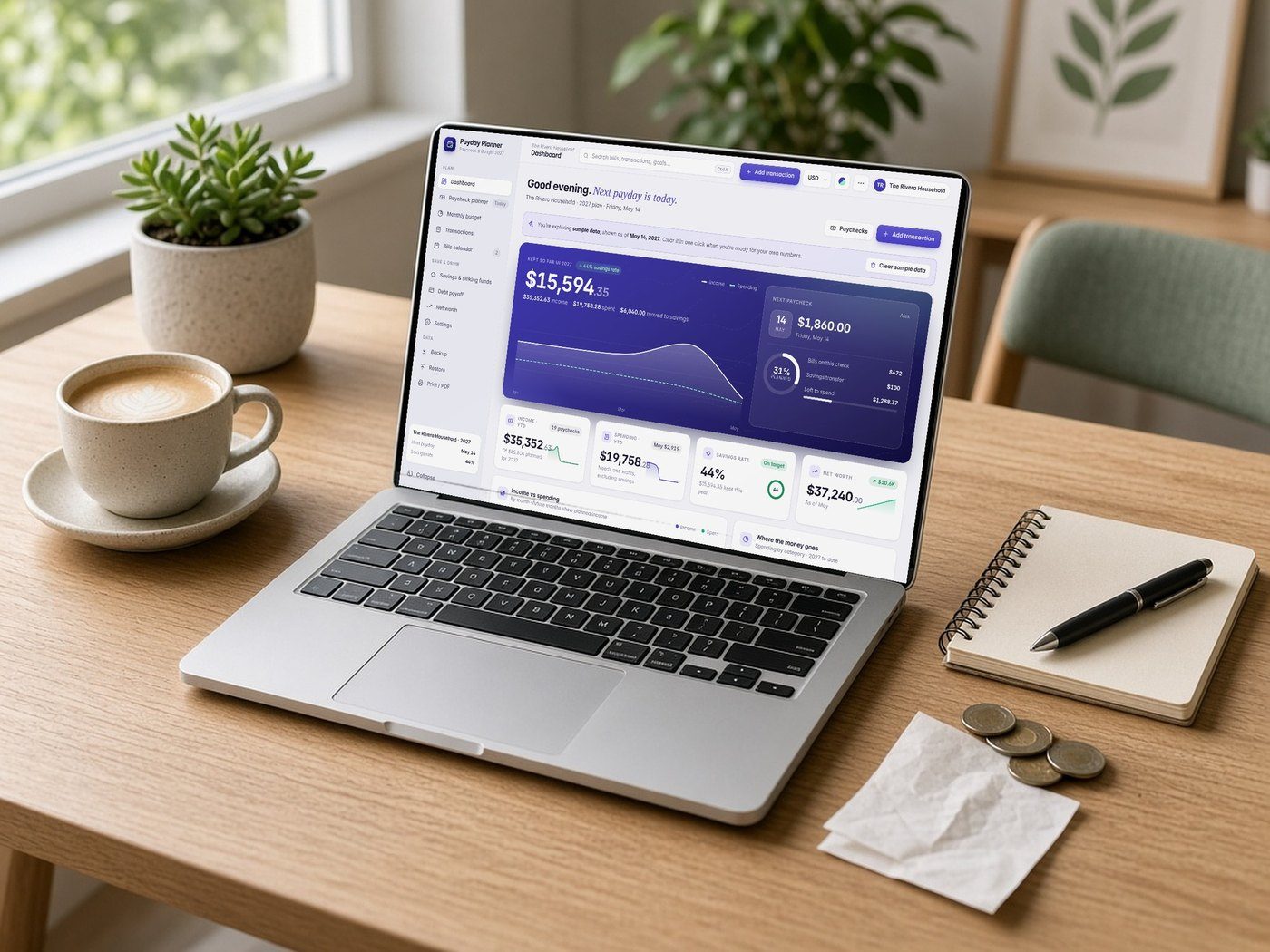
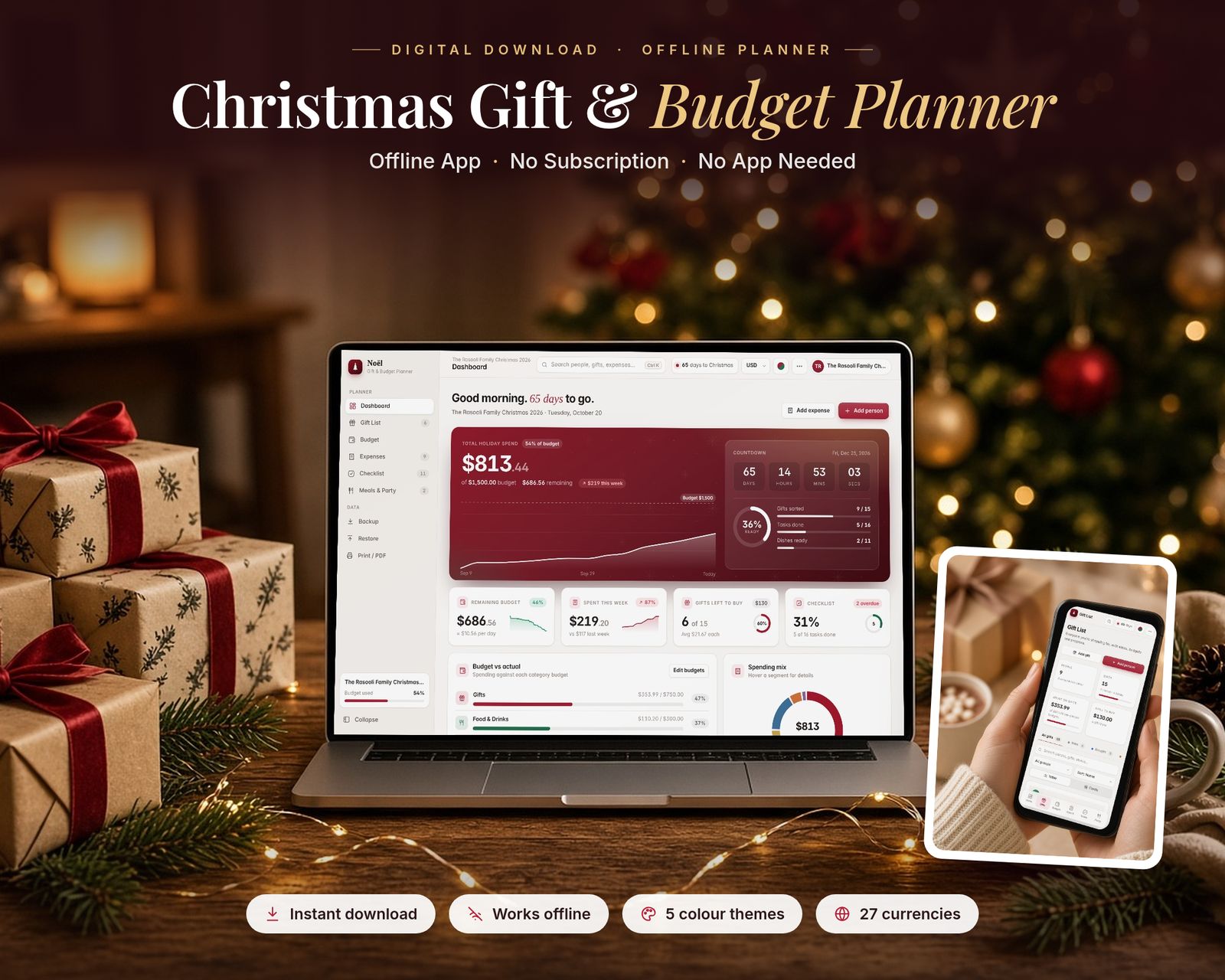
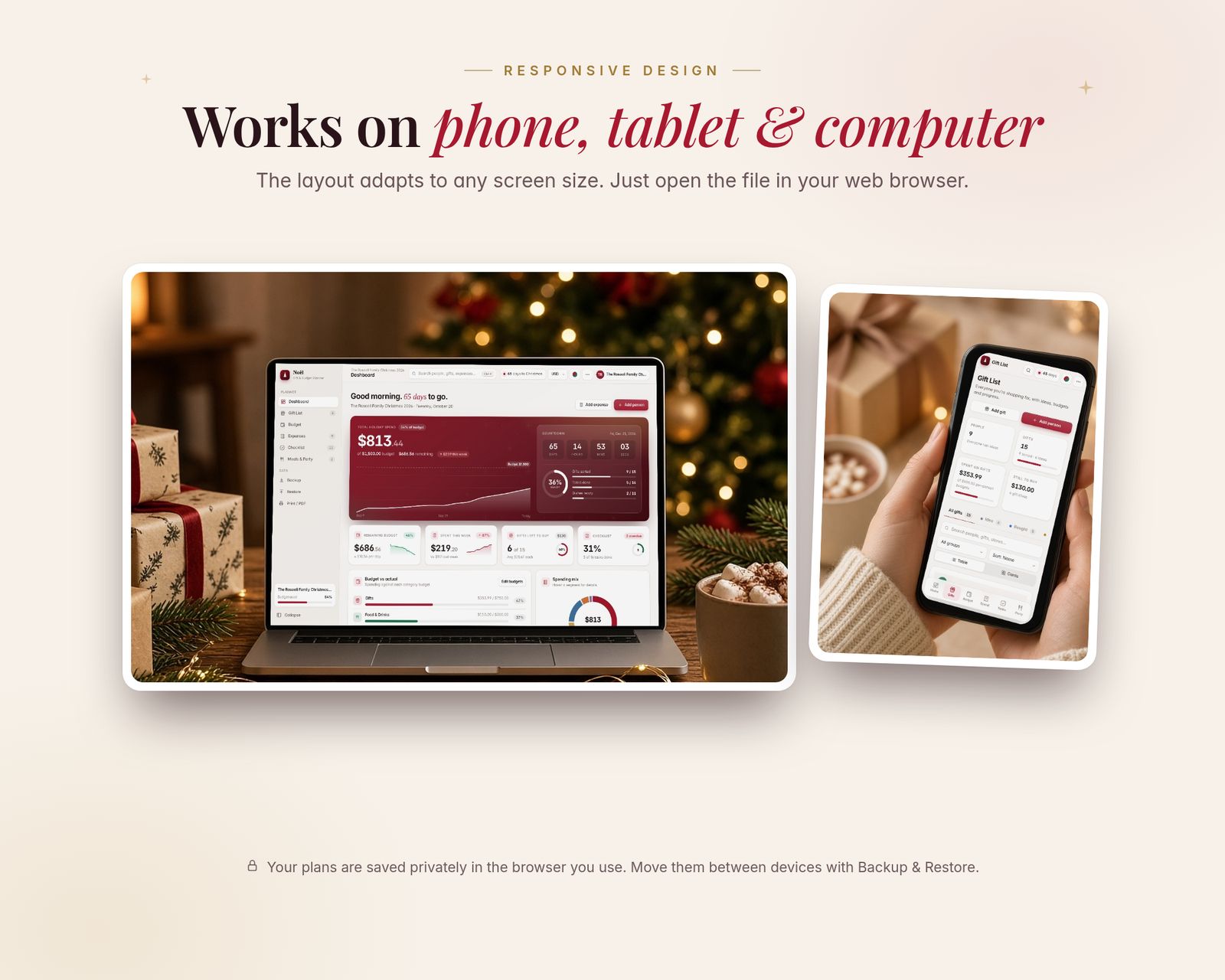
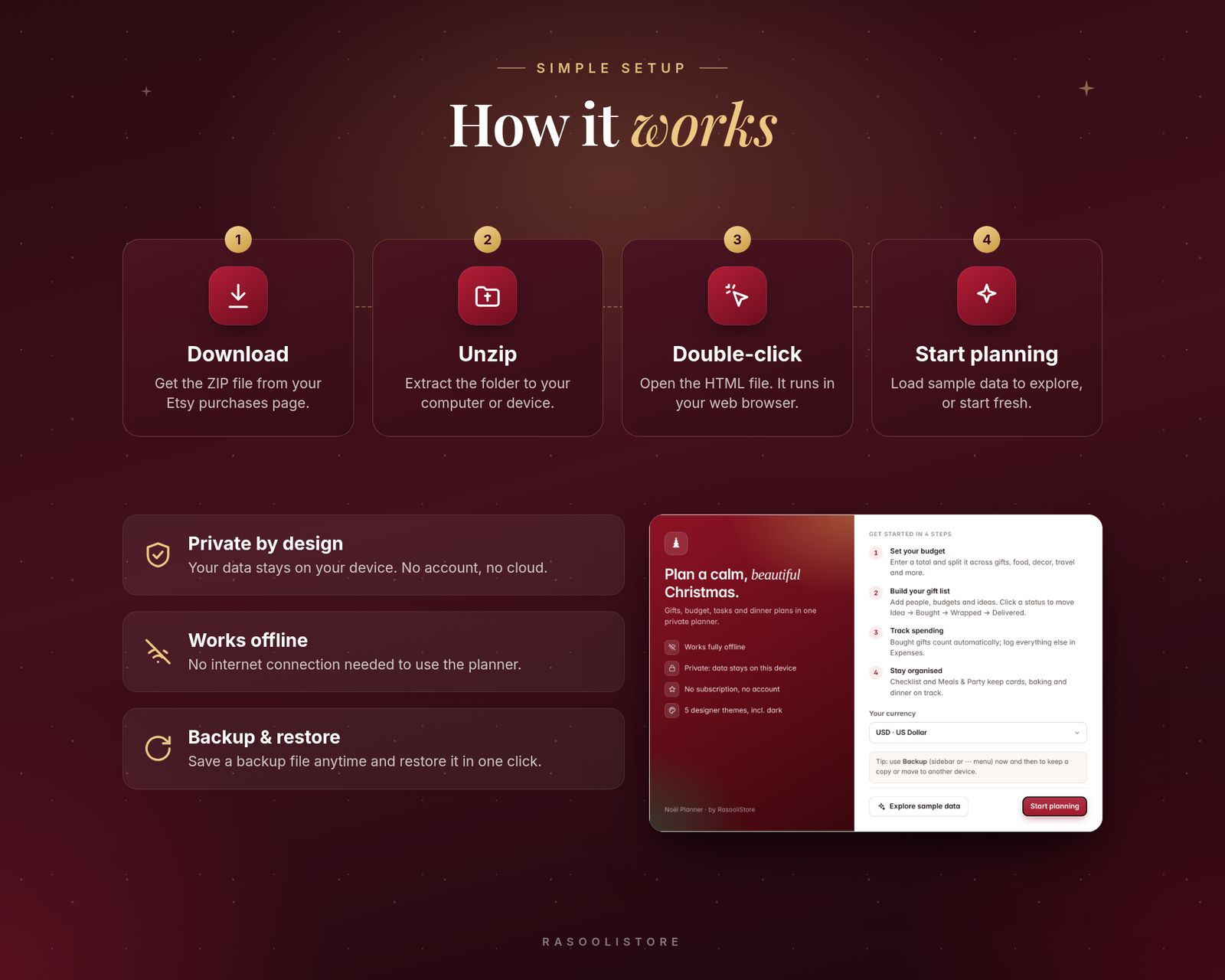
Lifestyle scenes are AI-generated. App screens are real, with fictional sample data.
Seasonal planner
Seasonal · Offline web app
Christmas Gift & Budget Planner
Plan every gift, every budget and every Christmas dish in one beautiful offline app.
$14.99One-time purchase · no subscription
Instant download
Right after payment
Works offline
After the first visit
No subscription
Pay once
Private
Stays on your device
Includes the hosted web app, a downloadable offline copy (Christmas-Gift-Budget-Planner.html), the Quick-Start Guide (PDF) and a personal license.
What it is
The Christmas Gift & Budget Planner is a complete holiday planning app that runs in your web browser. It's a single file you download once and keep. It works offline, updates every total instantly, and saves your plans automatically as you go.
15-second tour
See it in action.
Recorded from the real app with sample data. No sound.
Inside the app
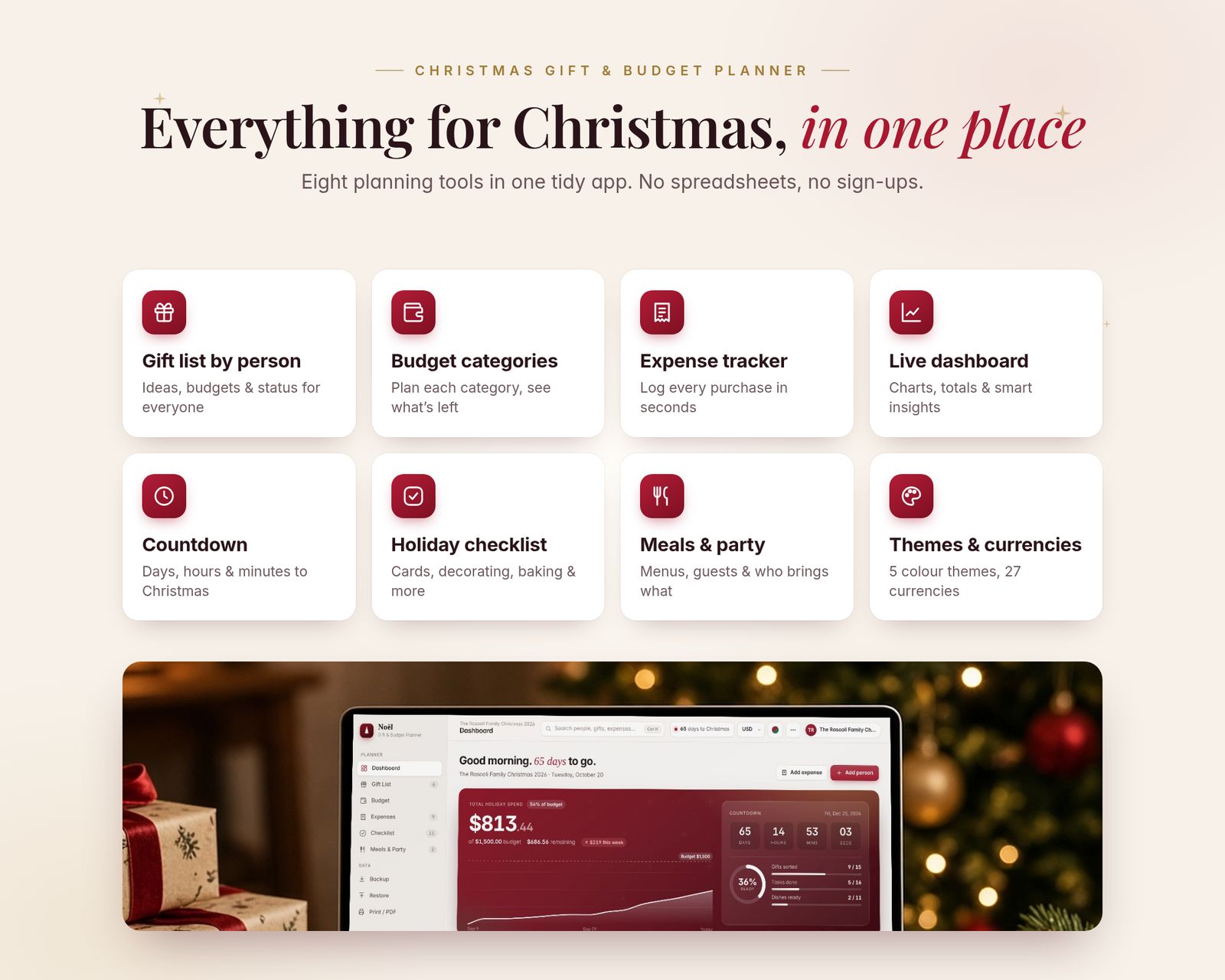
Everything it does, in detail.
Every feature listed here is in the app today.
01 · DASHBOARD
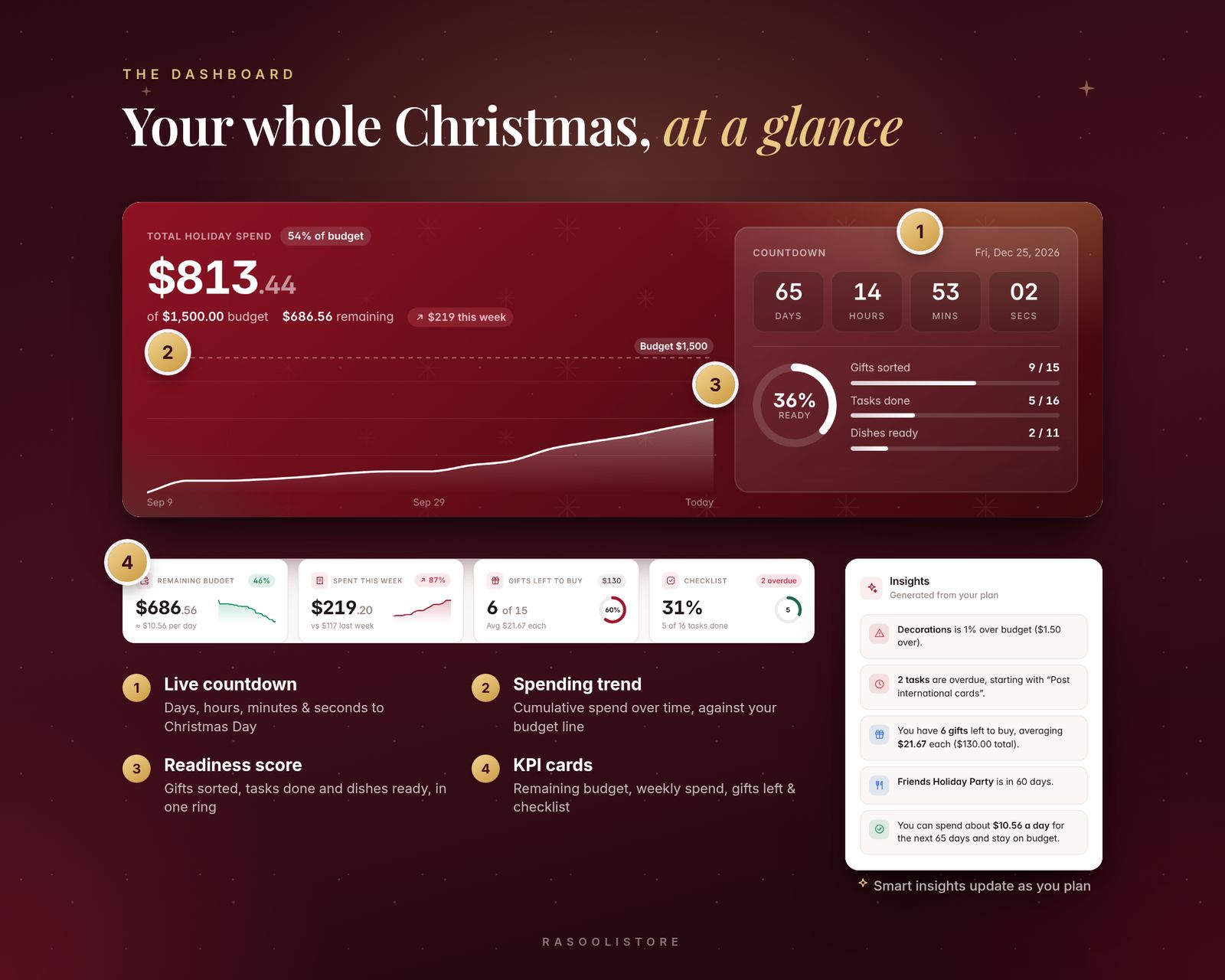
- Total holiday spend vs. your budget, with a spending-over-time chart
- Live countdown to Christmas (days, hours, minutes, seconds), or to a date you choose
- Readiness score: gifts sorted, tasks done and dishes ready
- Summary cards: remaining budget (with a "per day" allowance), spent this week, gifts left to buy, checklist progress
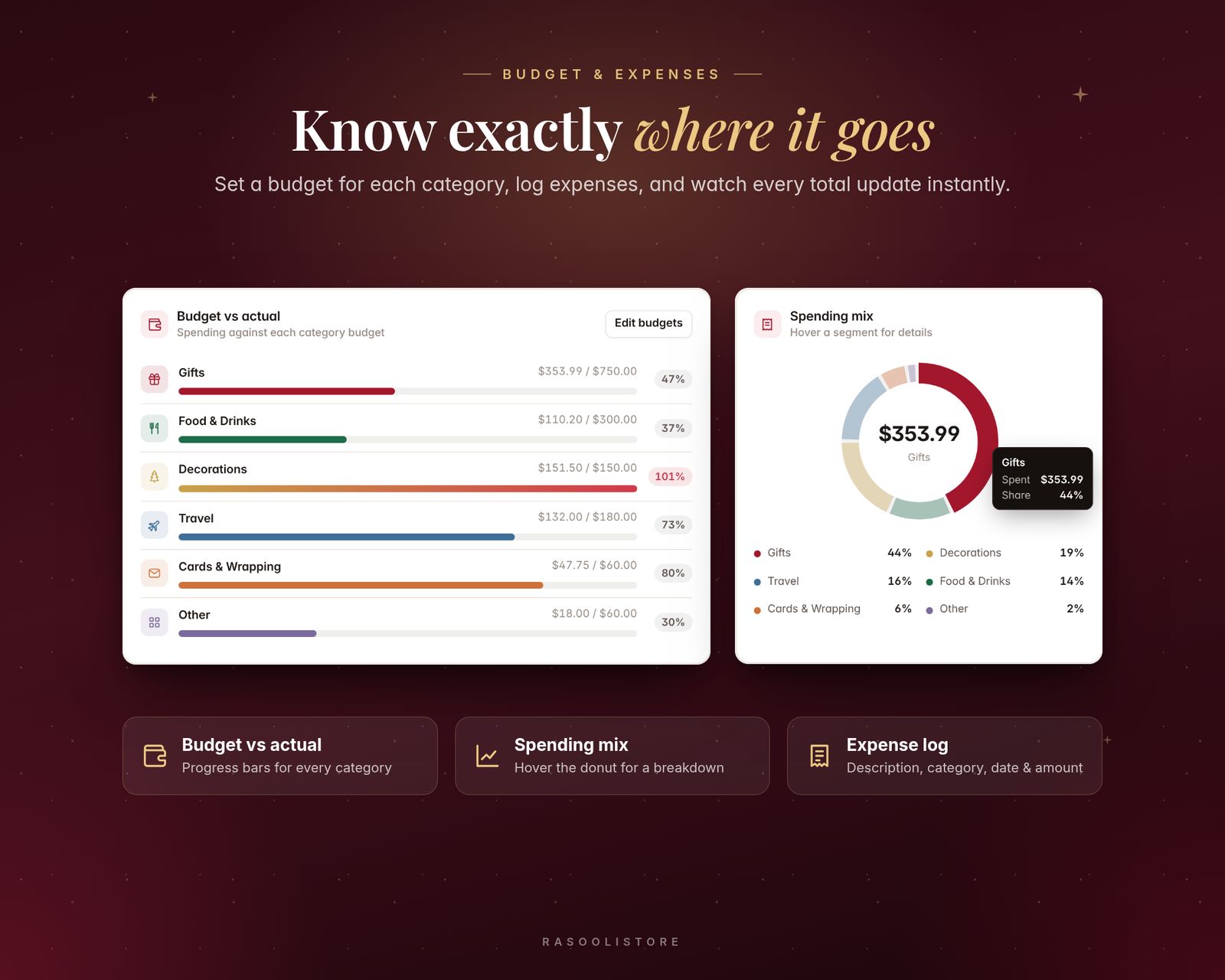
- Budget vs. actual bars for each category and a spending-mix donut chart
- Smart insights that flag over-budget categories, overdue tasks and gifts still to buy
- Recent activity feed
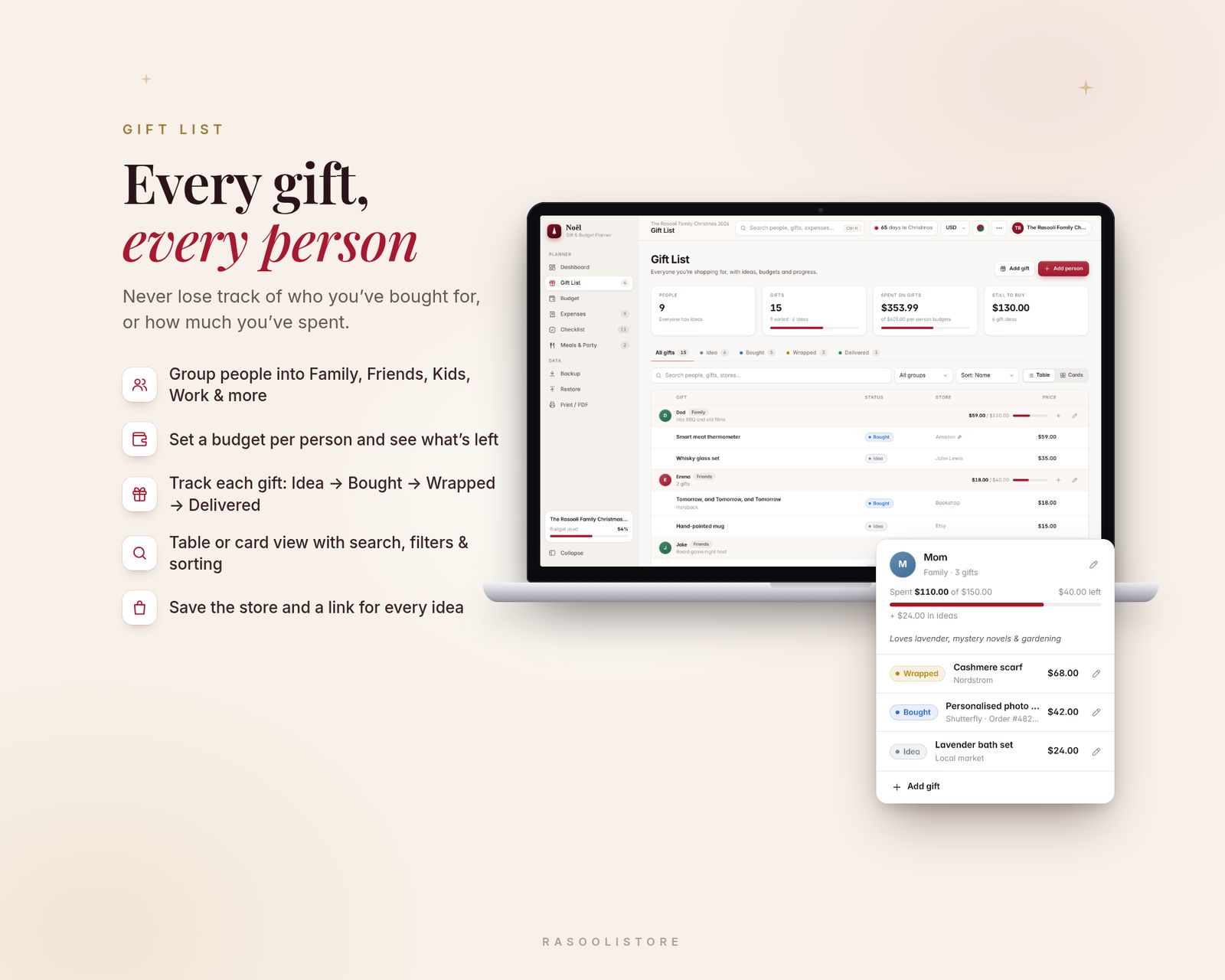
02 · GIFT LIST
- Add everyone you're buying for, grouped as Family, Friends, Kids, Work, Neighbours or Other
- Set a gift budget per person and see what's spent and what's left
- Save gift ideas with price, store, link, purchase date and notes
- Track status with one click: Idea → Bought → Wrapped → Delivered
- Table or card view, with search, status and group filters, and sorting
03 · BUDGET & EXPENSES
- Set a total holiday budget and split it across 6 categories: Gifts, Food & Drinks, Decorations, Travel, Cards & Wrapping, Other
- "Suggest a split" button to divide your total automatically
- Expense log with description, amount, date, category and notes
- Bought gifts count toward your budget automatically, so nothing is counted twice
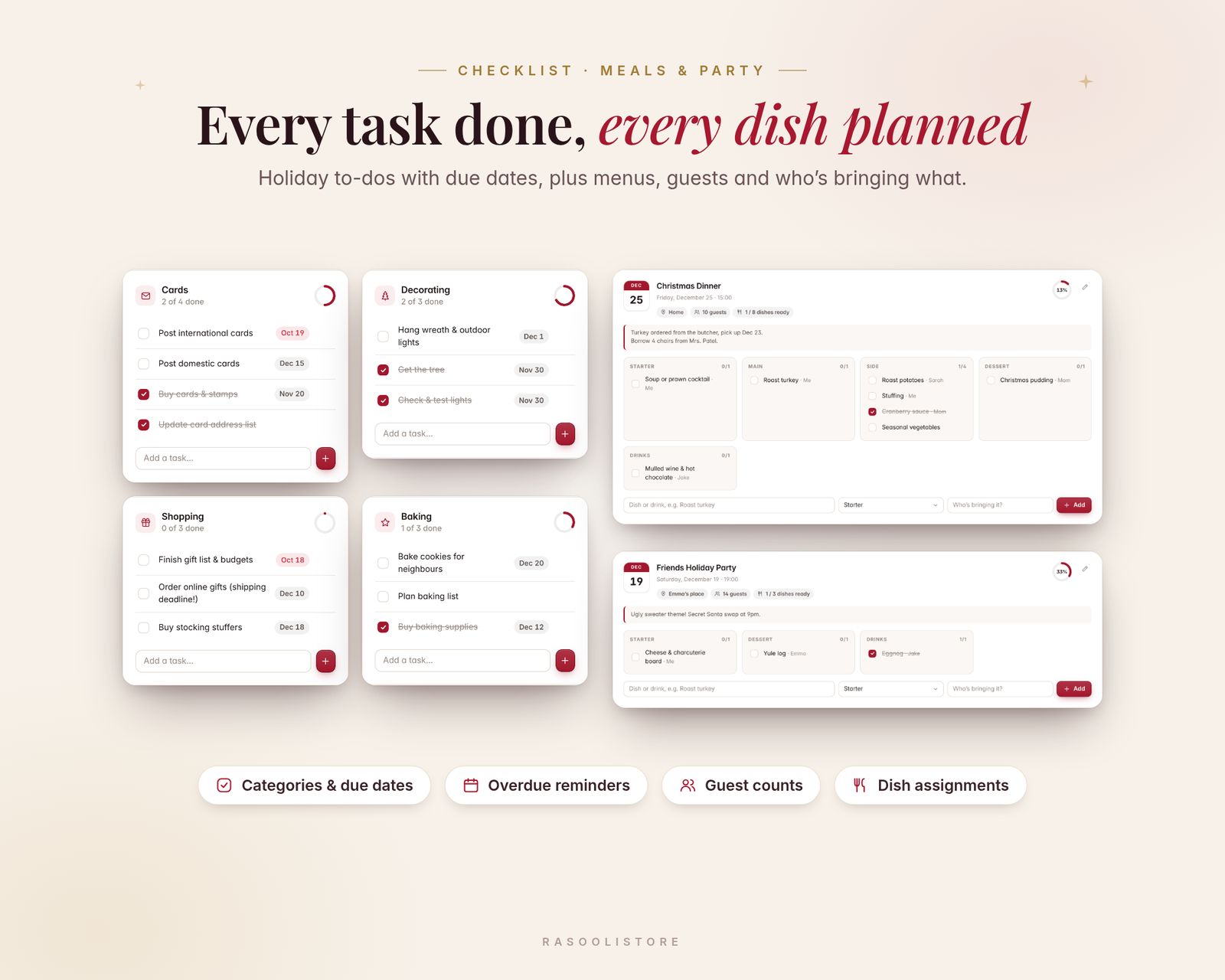
04 · CHECKLIST
- Task lists for Cards, Decorating, Baking, Shopping, Wrapping and Other
- Due dates with overdue highlighting
- One-click starter task list to get you going
05 · MEALS & PARTY
- Plan events with date, time, location, guest count and notes
- Menu by course (Starter, Main, Side, Dessert, Drinks, Other) showing who's bringing each dish
- Tick dishes off as they're ready; Christmas Dinner template included
06 · EXTRAS
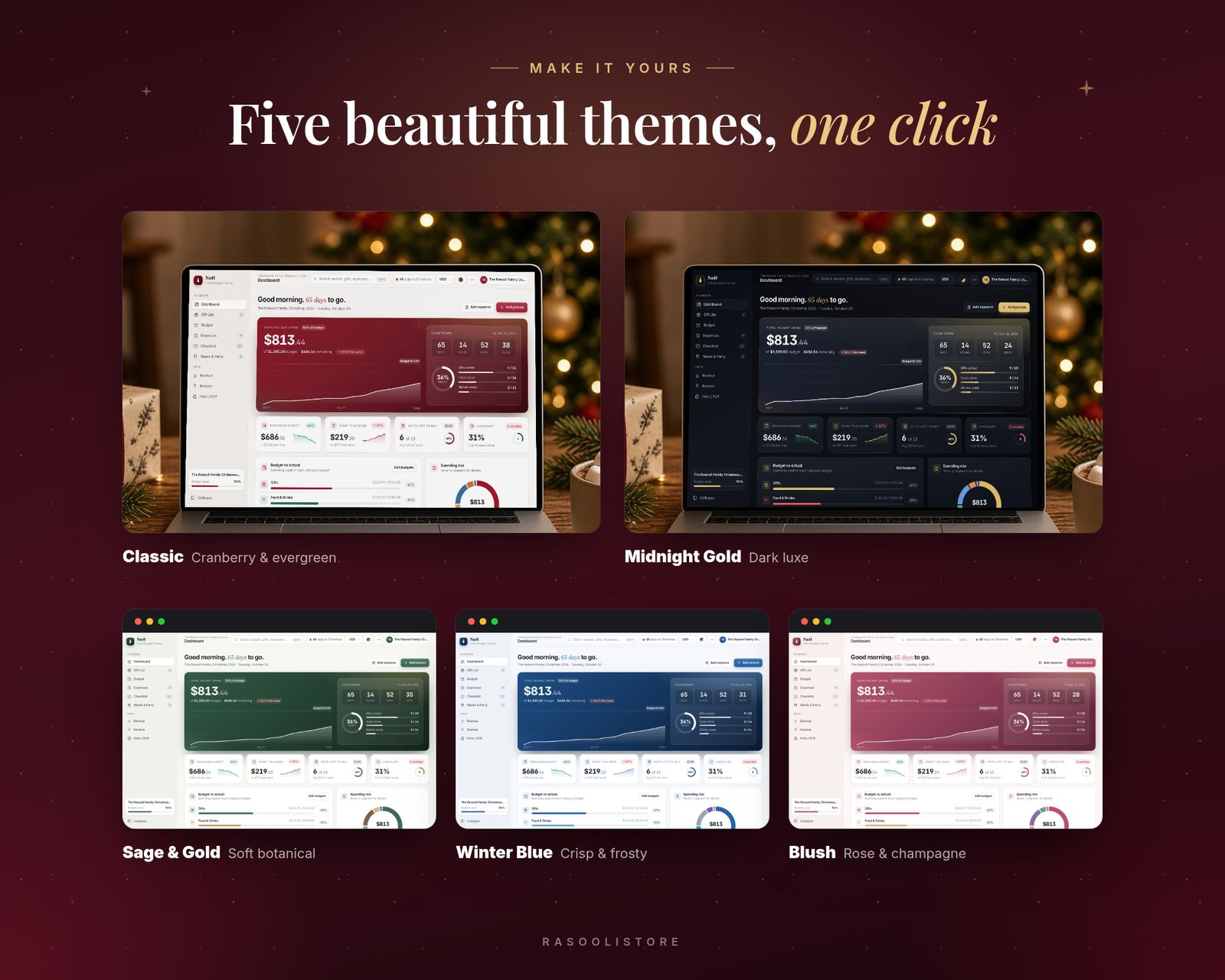
- 5 colour themes: Classic, Sage & Gold, Winter Blue, Blush and Midnight Gold (dark)
- 27 currencies (incl. USD, GBP, EUR, CAD, AUD, AED, SAR, OMR, INR and more)
- Search everything (Ctrl/Cmd + K)
- Backup & Restore: save everything to a small backup file anytime
- Export gifts and expenses to CSV (opens in Excel or Google Sheets)
- Print or save as PDF
- Sample data to explore first, plus optional falling snow ❄️
What's included
Includes the hosted web app, a downloadable offline copy (Christmas-Gift-Budget-Planner.html), the Quick-Start Guide (PDF) and a personal license.
Compatibility
Tested in Google Chrome on desktop and phone-size screens; installs to iPhone Home Screen from Safari.
Your data is saved in the browser on each device; use Backup & Restore to move it.
FAQ
Good questions.
Where is my information stored? Can you see it?+
It's saved only in your browser on your device. Nothing is sent to me or anywhere else. Use Backup regularly to keep a safe copy.
Can I change the currency or the countdown date?+
Yes. Choose from 27 currencies and set your own planner name, total budget and countdown date.
Can I print it?+
Yes. Use Print / PDF to print your plans or save them as a PDF.
Does it work on my iPhone?+
Yes, use the hosted version. After you buy, open your private app link in Safari and tap Share, then Add to Home Screen. It opens full screen and works offline after the first visit. We test in Google Chrome, including phone-size screens. If anything doesn't work on your device, message us.
What do I get after paying?+
A private link to the hosted app, plus a ZIP download with Christmas-Gift-Budget-Planner.html (the offline file), the Quick-Start Guide (PDF) and the license.
Does my data sync between devices?+
No. Each device keeps its own data in the browser. Use Backup & Restore inside the app to move it to another device.
You might also like

Christmas Gift & Budget Planner
$14.99