Lifestyle scenes are AI-generated. App screens are real, with fictional sample data.
Evermore
Planners · Offline web app
Wedding Planner & Seating Chart
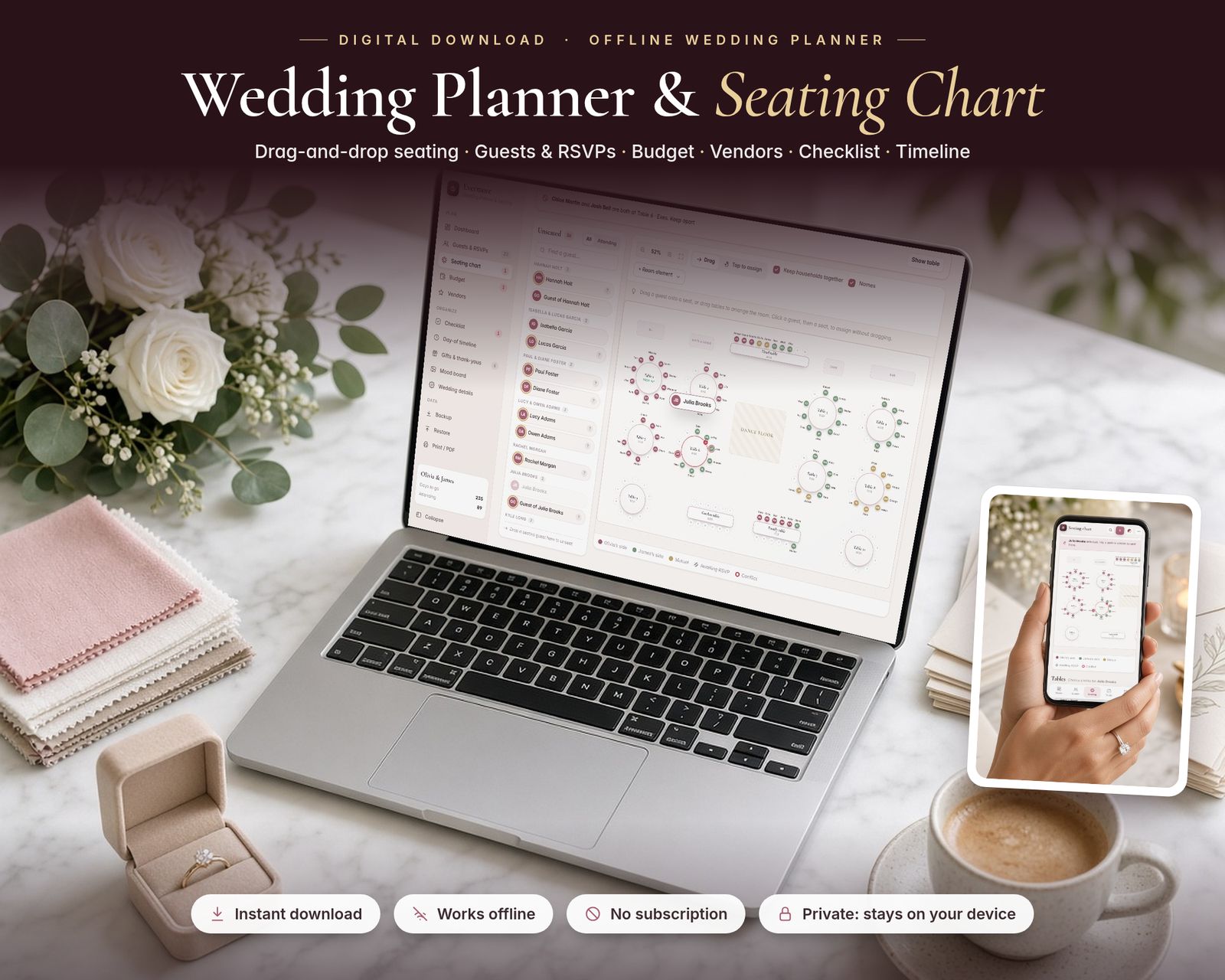
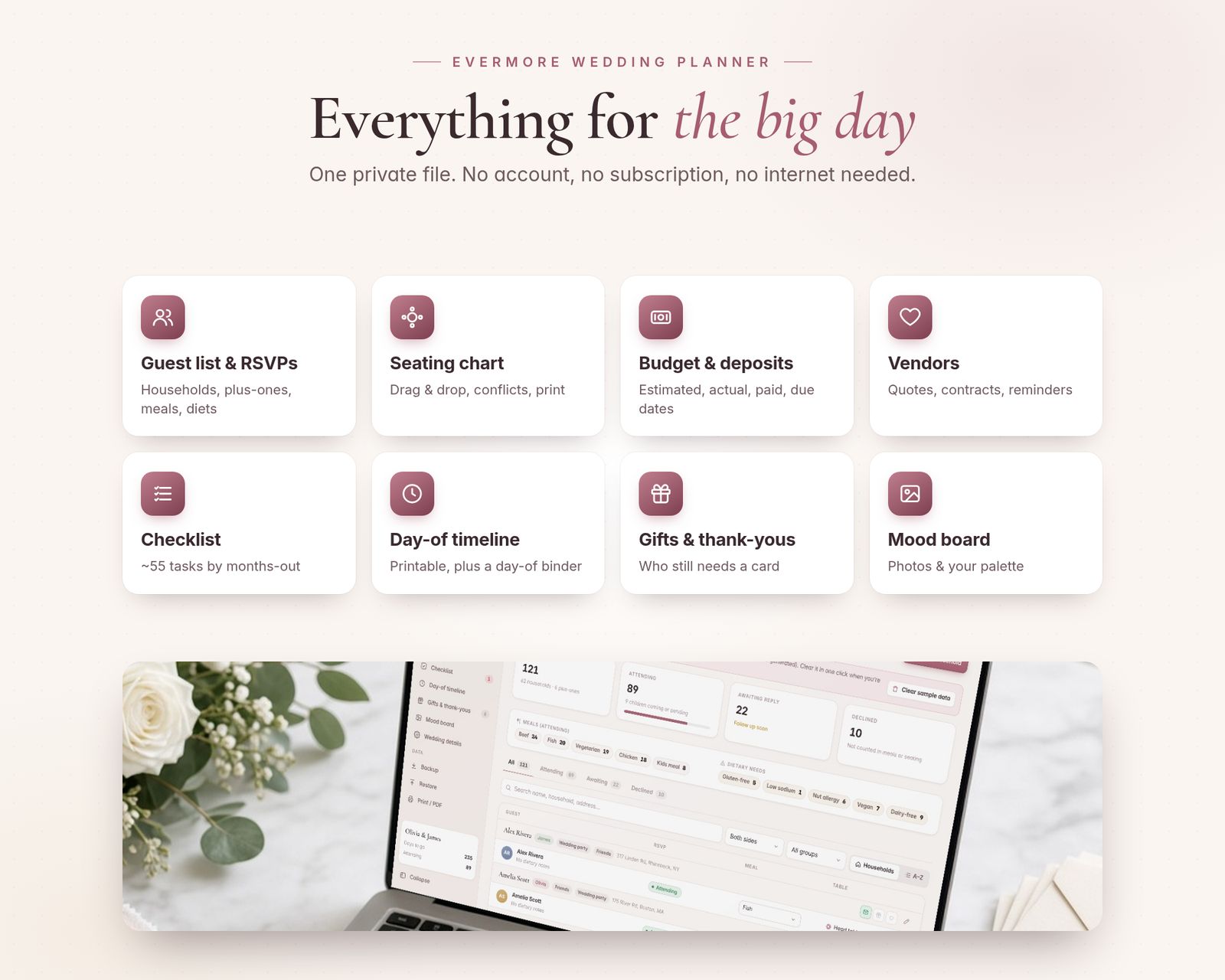
Plan your whole wedding in one private offline app: guest list and RSVPs, a drag-and-drop seating chart, budget and payments, vendors, checklist, day-of timeline, gifts and a mood board.
$24.99One-time purchase · no subscription
Instant download
Right after payment
Works offline
After the first visit
No subscription
Pay once
Private
Stays on your device
Includes the hosted web app, a downloadable offline copy (Wedding-Planner-Seating-Chart.html), the Quick-Start Guide (PDF) and a personal license.
What it is
Evermore is a Wedding Planner & Seating Chart app that runs in your web browser. It's a single file. It works offline, updates every count and total instantly and saves your work automatically. Made for couples planning their own wedding, and for anyone helping them.
15-second tour
See it in action.
Recorded from the real app with sample data. No sound.
Inside the app
Everything it does, in detail.
Every feature listed here is in the app today.
01 · DRAG-AND-DROP SEATING CHART
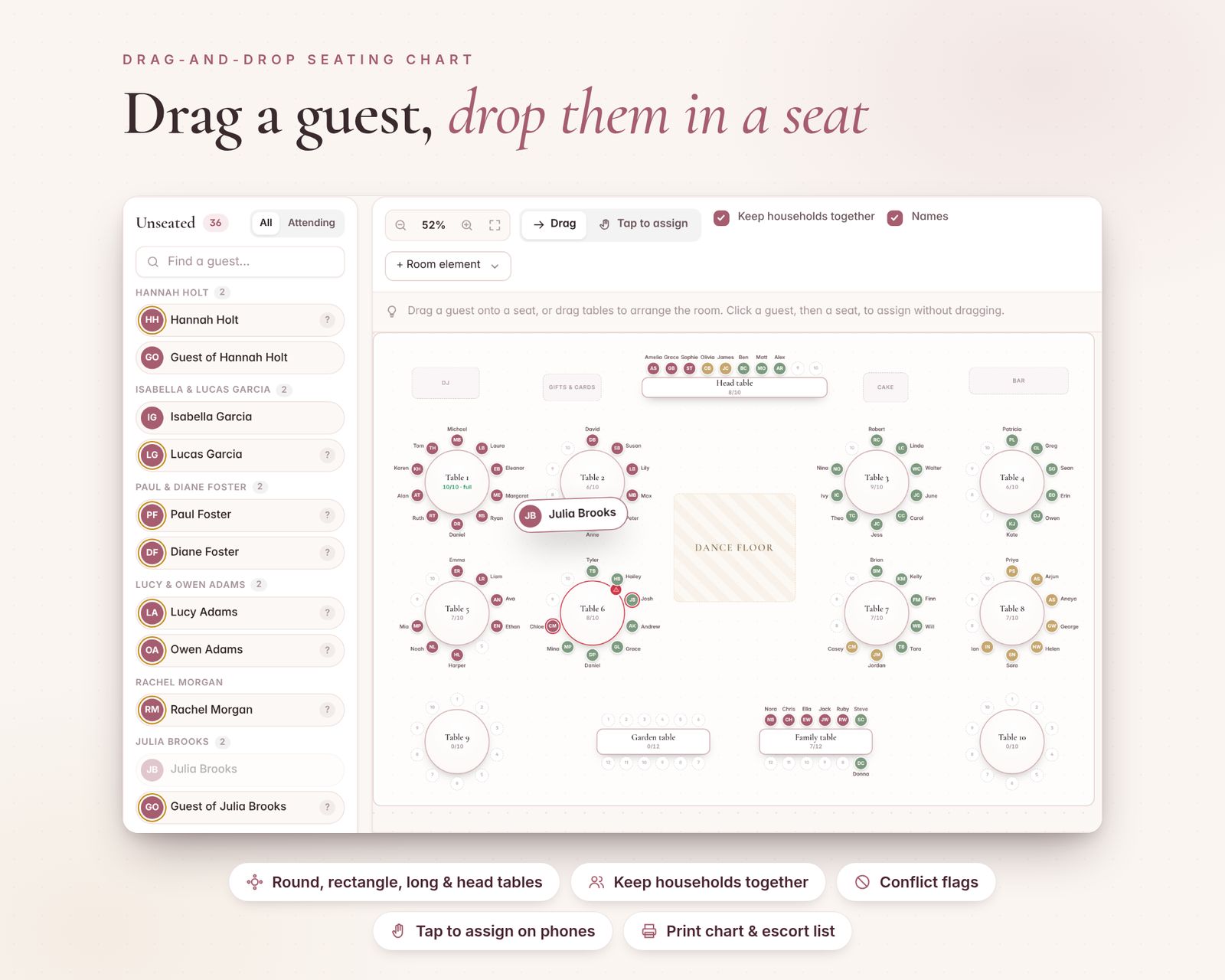
- Draw your room: round, rectangle, long banquet and head tables, with any number of seats
- Drag a guest from the unseated list onto a seat. Their whole household can follow automatically (switch it off any time)
- Drag guests between seats to move or swap them, or drag them back to unseated
- Drag tables to arrange the room, and add a dance floor, bar, DJ or band, cake table, gifts table and ceremony arch
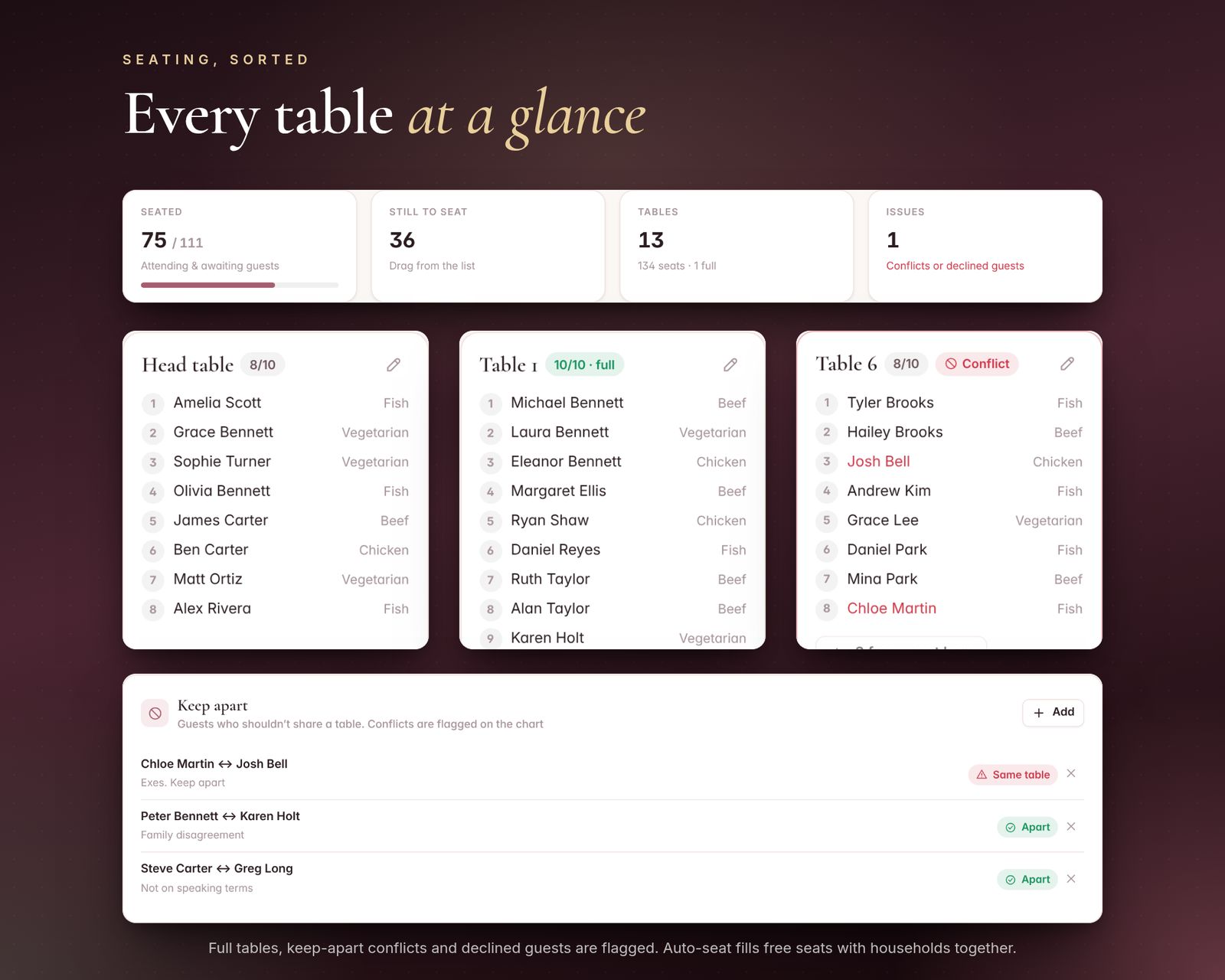
- "Keep apart" pairs: the chart flags any table where two people you listed are seated together
- Auto-seat fills empty seats, keeping households together and avoiding your keep-apart pairs. You can rearrange everything afterwards
- Zoom, fit to screen, and show or hide names on the chart
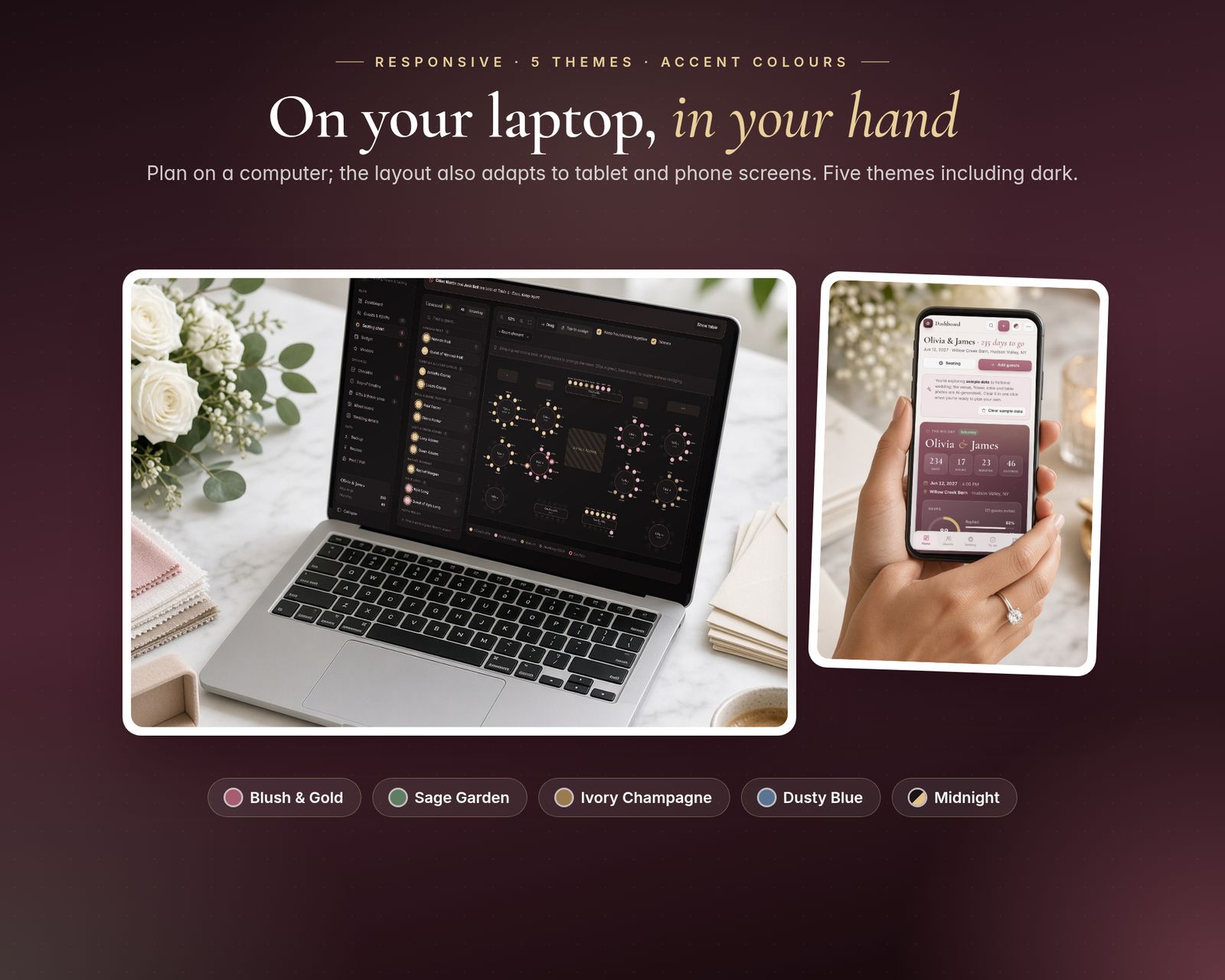
- On a phone or tablet, use tap mode: tap a guest, then tap a seat
- Print the seating chart, a table-by-table list and an alphabetical escort card list (Last, First → table)
02 · GUEST LIST & RSVPS
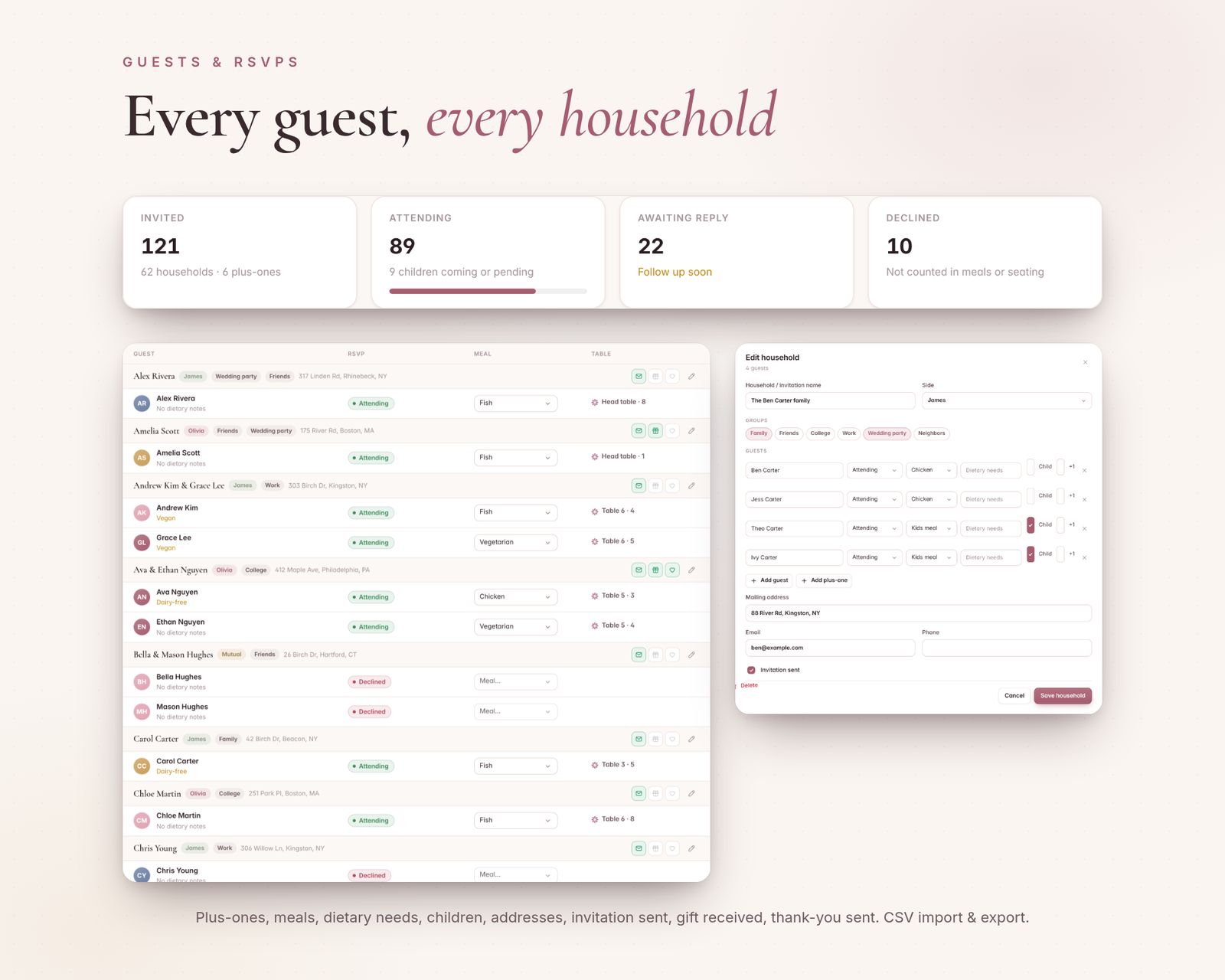
- Add guests by household: plus-ones, children, meal choices and dietary notes
- RSVP status for each guest (one click to change), with live counts of attending, pending and declined
- Meal totals for your caterer, and tags such as Family, Friends, Work and Wedding party
- Invitation tracking, plus filters and search
- Import your guest list from a CSV spreadsheet (preview first). Households stay grouped. Export to CSV any time
03 · BUDGET & PAYMENTS
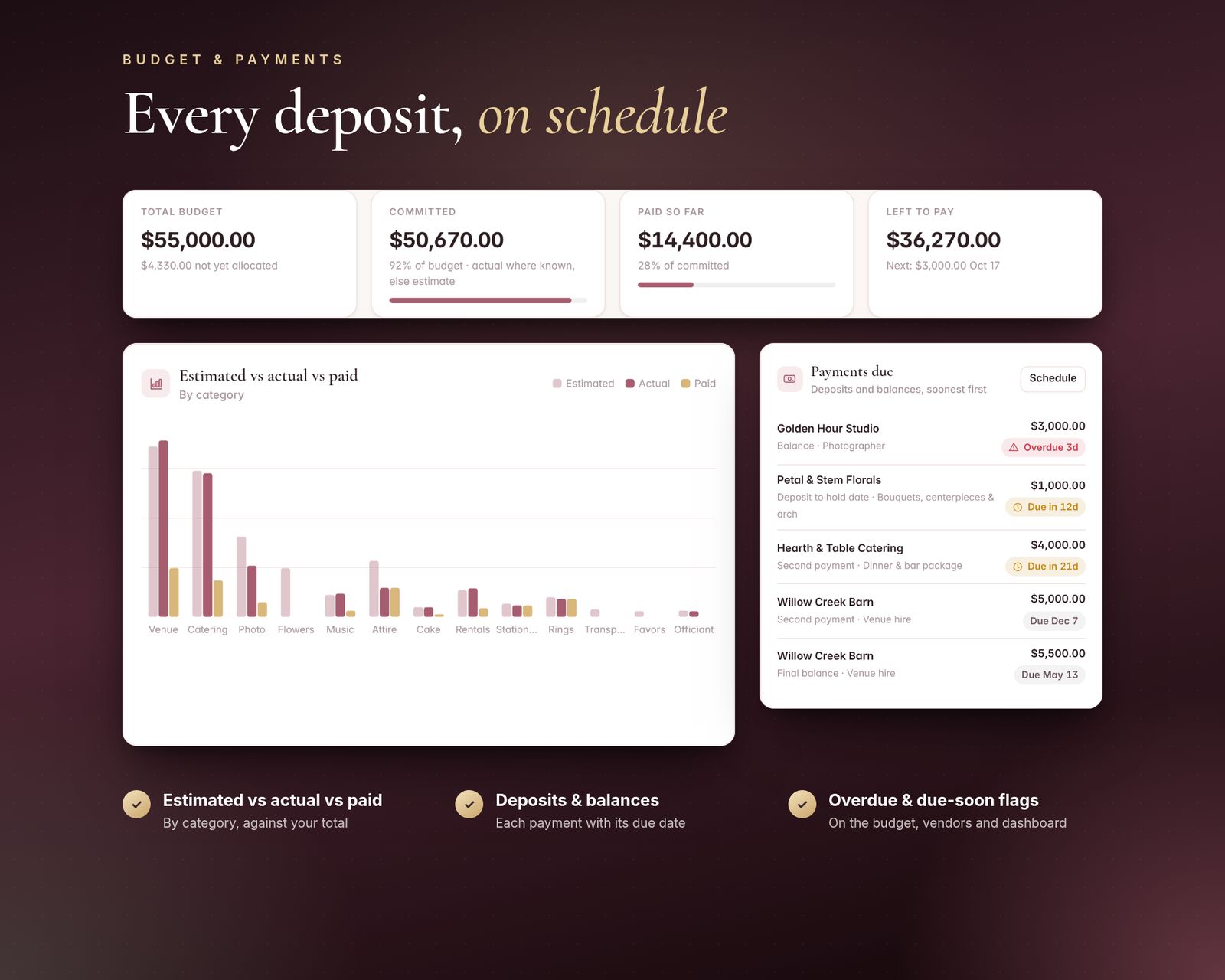
- Set a total budget and start from 13 editable categories with suggested shares (venue, catering, photo and video, flowers, attire and more)
- Track estimated, actual and paid for every item
- Payment schedule with due dates: see what's due soon and what's overdue, and mark payments as paid
- A chart of estimated vs actual vs paid by category, and what's left in your budget
04 · VENDORS
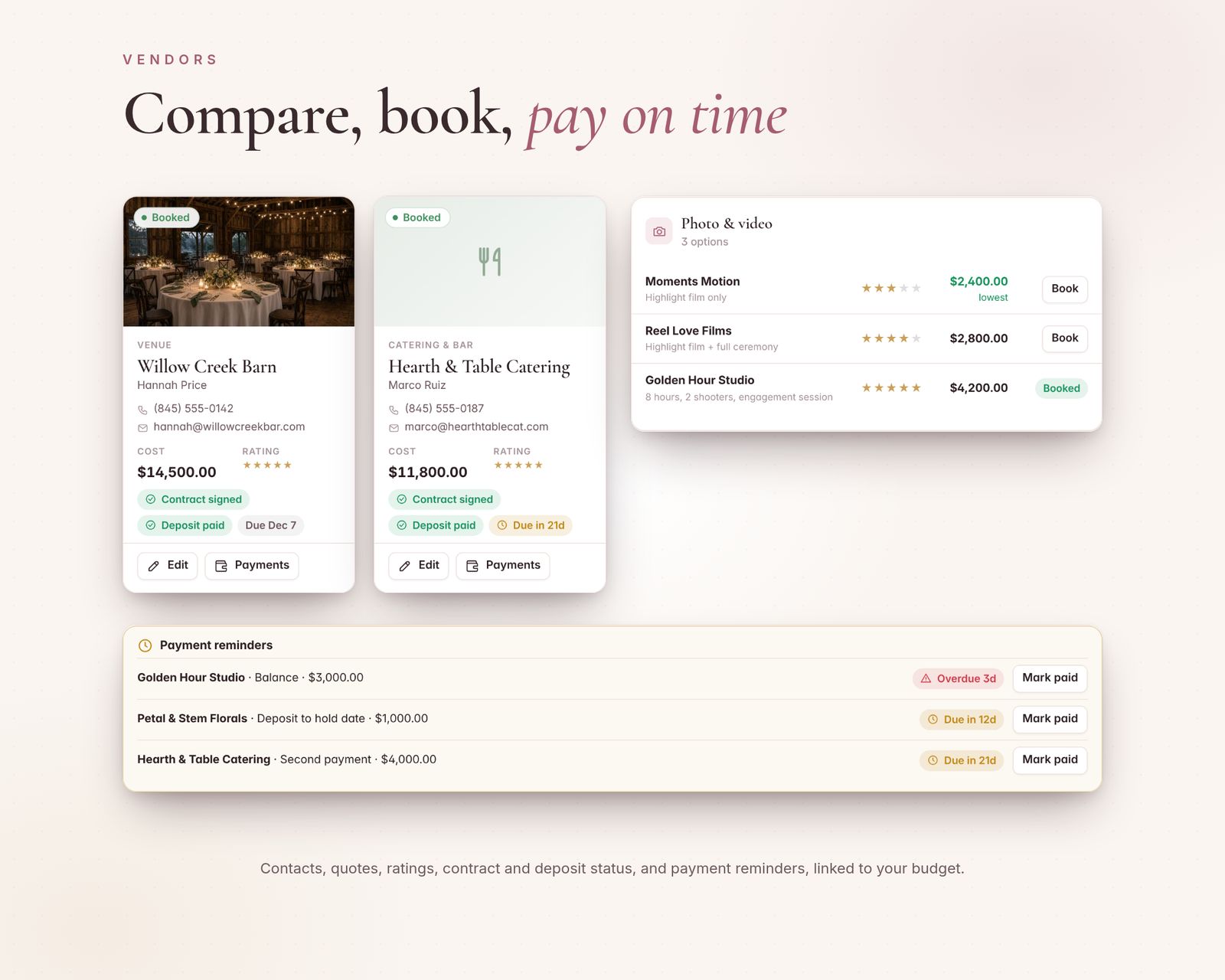
- Keep contacts, quotes, notes, your own star rating, and contract and deposit status for every vendor
- Compare quotes side by side, then mark one as booked and send its price to your budget
05 · CHECKLIST, TIMELINE & DAY-OF BINDER
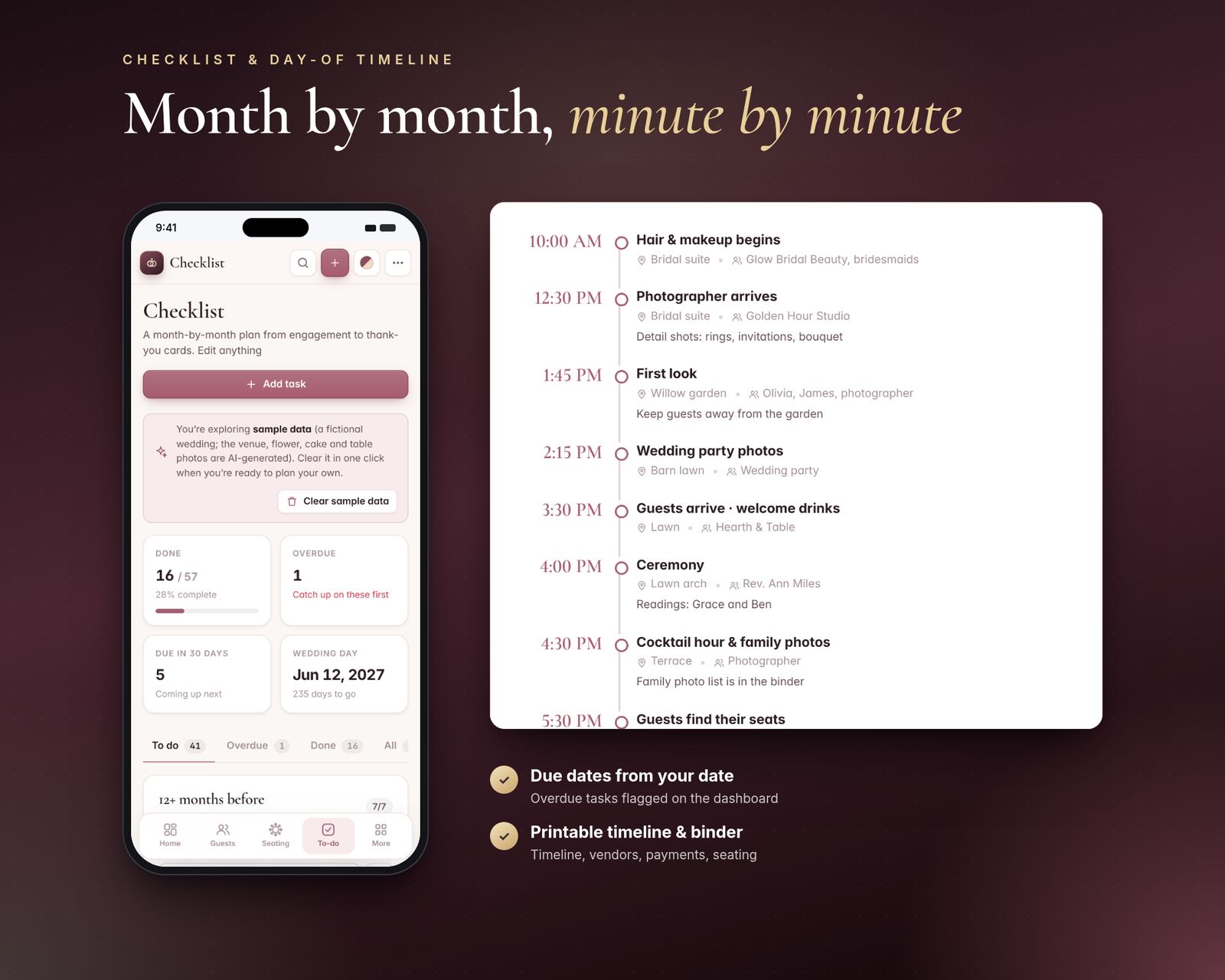
- 57 starter tasks grouped from 12+ months out to the week of the wedding. Edit, add or remove any task
- Dashboard reminders for what's next and what's overdue
- Day-of timeline sorted by time, with place, who's responsible and notes. Print it for your wedding party
- Day-of binder in one printout: timeline, vendor contacts, payments due, seating chart, table list and escort list
06 · GIFTS & MOOD BOARD
- Gift log with thank-you note tracking
- Mood board: add your own inspiration photos (compressed to save space) with captions, and a colour palette
07 · EXTRAS
- Dashboard with a live countdown to your wedding day
- Backup & Restore to a single file, including your mood board photos
- Search everything with Ctrl/Cmd + K
- 5 themes: Blush & Gold, Sage Garden, Ivory Champagne, Dusty Blue and Midnight (dark), plus accent colours
- 27 currencies
- A sample wedding (121 guests, 13 tables) to explore first, then clear it with one click
What's included
Includes the hosted web app, a downloadable offline copy (Wedding-Planner-Seating-Chart.html), the Quick-Start Guide (PDF) and a personal license.
Compatibility
Tested in Google Chrome on desktop and phone-size screens; installs to iPhone Home Screen from Safari.
Your data is saved in the browser on each device; use Backup & Restore to move it.
FAQ
Good questions.
How many guests and tables can it handle?+
The sample wedding has 121 guests at 13 tables. Add as many guests and tables as your venue needs.
Can my partner and I both use it?+
Yes, on one computer. It doesn't sync between devices, but you can pass the latest version back and forth with Backup & Restore.
Can you see my guest list?+
No. Everything stays in your browser on your device. Nothing is sent to me or anywhere else.
Does it work on my iPhone?+
Yes, use the hosted version. After you buy, open your private app link in Safari and tap Share, then Add to Home Screen. It opens full screen and works offline after the first visit. We test in Google Chrome, including phone-size screens. If anything doesn't work on your device, message us.
What do I get after paying?+
A private link to the hosted app, plus a ZIP download with Wedding-Planner-Seating-Chart.html (the offline file), the Quick-Start Guide (PDF) and the license.
Does my data sync between devices?+
No. Each device keeps its own data in the browser. Use Backup & Restore inside the app to move it to another device.
You might also like
Evermore
$24.99